 Newshot
skills/bom/SKILL.md · 78 行 · 6.2 KB
description: 为 KiCad 项目解析并审核确切的 PCB 零件、封装、电气额定值、可用性以及制造商 BOM 字段。
skills/export/SKILL.md · 120 行 · 4.6 KB
description: 使用 kicad-cli 生成确定性的 KiCad ERC、DRC、制造、装配、文档和 3D 导出输出。
- kicad-cli version
- kicad-cli sch erc
- kicad-cli pcb drc
- kicad-cli sch export pdf
- kicad-cli sch export bom
- kicad-cli sch export netlist
- kicad-cli pcb export gerbers
- kicad-cli pcb export drill
- kicad-cli pcb export pos
- kicad-cli pcb export pdf
- kicad-cli pcb export step
- kicad-cli pcb render
- references/kicad_cli_command_fp_export_svg.md
- references/kicad_cli_command_fp_upgrade.md
- references/kicad_cli_command_introduction.md
- references/kicad_cli_command_jobset_run.md
- references/kicad_cli_command_pcb_drc.md
- references/kicad_cli_command_pcb_export_3dpdf.md
- references/kicad_cli_command_pcb_export_brep.md
- references/kicad_cli_command_pcb_export_drill.md
- references/kicad_cli_command_pcb_export_dxf.md
- references/kicad_cli_command_pcb_export_gencad.md
- references/kicad_cli_command_pcb_export_gerbers.md
- references/kicad_cli_command_pcb_export_glb.md
- references/kicad_cli_command_pcb_export_hpgl.md
- references/kicad_cli_command_pcb_export_ipc2581.md
- references/kicad_cli_command_pcb_export_ipcd356.md
- references/kicad_cli_command_pcb_export_odb.md
- references/kicad_cli_command_pcb_export_pdf.md
- references/kicad_cli_command_pcb_export_ply.md
- references/kicad_cli_command_pcb_export_pos.md
- references/kicad_cli_command_pcb_export_ps.md
- references/kicad_cli_command_pcb_export_stats.md
- references/kicad_cli_command_pcb_export_step.md
- references/kicad_cli_command_pcb_export_stl.md
- references/kicad_cli_command_pcb_export_stpz.md
- references/kicad_cli_command_pcb_export_svg.md
- references/kicad_cli_command_pcb_export_u3d.md
- references/kicad_cli_command_pcb_export_vrml.md
- references/kicad_cli_command_pcb_export_xao.md
- references/kicad_cli_command_pcb_import.md
- references/kicad_cli_command_pcb_render.md
- references/kicad_cli_command_pcb_upgrade.md
- references/kicad_cli_command_sch_erc.md
- references/kicad_cli_command_sch_export_bom.md
- references/kicad_cli_command_sch_export_dxf.md
- references/kicad_cli_command_sch_export_hpgl.md
- references/kicad_cli_command_sch_export_netlist.md
- references/kicad_cli_command_sch_export_pdf.md
- references/kicad_cli_command_sch_export_ps.md
- references/kicad_cli_command_sch_export_python_bom.md
- references/kicad_cli_command_sch_export_svg.md
- references/kicad_cli_command_sch_upgrade.md
- references/kicad_cli_command_sym_export_svg.md
- references/kicad_cli_command_sym_upgrade.md
- references/kicad_cli_command_version.md
- scripts/convert_position.py
Chudx_Nano_100/build/
图表:tome_nano_100-erc.rpt
** ERC messages: 0 Errors 0 Warnings 0
图表:tome_nano_100-drc.rpt
        ** Found 0 DRC violations **
** Found 0 unconnected pads **
** Found 0 Footprint errors **
图表:positions_raw.csv
        Ref,Val,Package,PosX,PosY,Rot,Side
"C10","1uF","C_0402_1005Metric_L",150.913501,-131.187500,0.000000,bottom
"C11","1uF","C_0402_1005Metric_L",151.401001,-136.212500,0.000000,bottom
图表:positions.csv (scripts/convert_position.py)
        Designator,Mid X,Mid Y,Layer,Rotation
C10,150.913501,-131.187500,B,0.000000
C11,151.401001,-136.212500,B,0.000000
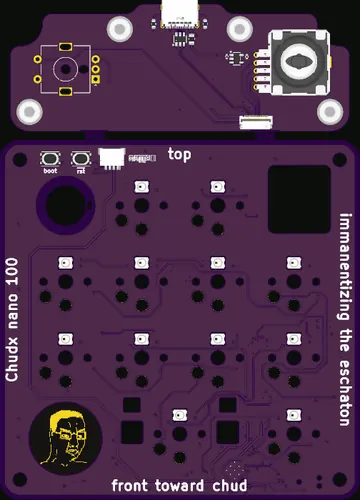
gerbs/ 中有 22 个文件
skills/footprint/SKILL.md · 25 行 · 2.6 KB
description: 使用官方 KiCad Library Tools 生成合规的 KiCad 封装。
skills/gerbers/SKILL.md · 18 行 · 0.9 KB
description: 作为制造输出检查步骤,生成、渲染并目视审核 KiCad Gerber 层。
- pygerber gerber convert
skills/layout/SKILL.md · 23 行 · 4.3 KB
Show HN: Backplane – 面向硬件的 AI 开发环境
description: 放置元件并通过封装检查、原理图引脚交换和信号完整性最佳实践来布线 KiCad PCB 布局。
- ## 就地编辑活动板
skills/layout-placement/SKILL.md · 344 行 · 21.5 KB
description: 将元件放置在 KiCad 板上,使每个部件位于其电路所需的位置,放置 DRC 通过,并且每个焊盘保持可达,并使用 IPC 脚本移动部件并测量距离和可布线性。涵盖阅读电路、固定部件、IC 方向,以及去耦、稳压器、时钟、RF 和滤波器部件。用于元件放置;不用于布线或原理图设计。
- ## 将进度保存到已配置的板子
- ## 元件为何放在其所在位置
- ## 1. 移动任何东西之前先阅读电路
- ## 2. 固定不可移动的部件,然后确定 IC 方向
- ## 3. 按每个连接所能容忍的距离由小到大的顺序放置
- ## 4. 保持每个焊盘可达
- ## 5. 检查、观察、修复
- ## 检查所假设的前提
- ## 操作板子
- PROVENANCE.md
- requirements.in
- requirements.txt
- scripts/grid_router.py
- scripts/group_search.py
- scripts/ipc_board.py
- scripts/local_search.py
- scripts/move.py
- scripts/pin_sides.py
- scripts/placement_audit.py
- scripts/route_check.py
- scripts/rules.py
- scripts/run.sh
- scripts/sidecar.py
STM32N657_SoM/build/
图表:C48-placement-search.log (scripts/local_search.py)
        230 legal candidates for C48 at U1.D1 (current gap 2.925 mm)
blocks  gap_mm  partner_mm   x        y       rot  faces  blocked pins
     0   2.867      9.000    97.600   95.050   90  True   []
     0   2.868      9.000    97.850   95.050   90  True   []
     0   2.884      9.000    98.100   95.050   90  True   []
     0   3.067      9.000    98.100   95.300    0  True   []
     0   3.069      9.000    98.350   95.300    0  True   []
skills/panelize/SKILL.md · 90 行 · 3.4 KB
description: 使用 KiKit 对给定 PCB 进行拼板
- ## 首选起始值
- ## KiKit 行为
- ## 有用命令
- kikit panelize
- kicad-cli pcb render
skills/pcb/SKILL.md · 32 行 · 2.5 KB
description: 使用 DRC、层渲染和 3D 模型干涉检查来审查 KiCad PCB 布局。
- ## 就地编辑活动板
- ## 放置
skills/pcb-product-render/SKILL.md · 53 行 · 5.0 KB
description: 从 KiCad PCB 项目创建逼真的 Blender 产品渲染,包括刷新后的 3D 导出、物理上合理的 PCB 材质、相机/舞台设置和视觉验证。
- ## 必需工作流
- ## 材质目标
- ## 相机与舞台
- ## 交接要求
skills/schematic/SKILL.md · 102 行 · 11.1 KB
description: 从选定部件、数据手册、参考设计、渲染和网表创建、修改和审查 KiCad 原理图。
- ## 面向人类
- ## 面向代理
- ### 就地保存工作
- ### 如何绘制原理图
- ### 如何做研究
skills/symbol/SKILL.md · 19 行 · 1.9 KB
description: 生成符合规范的 KiCad 符号