 Newshot
Tom's Hardware Verdict
The Samsung Odyssey G8 G80SH is one of the best HDR OLEDs I’ve reviewed. It delivers a stunning image with no need for calibration and addictive gaming that will keep you playing for hours.
Reasons to buy
- +Bright and colorful image
- +Exceptional HDR quality
- +Dynamic tone mapping for HDR10 content
- +Matte anti-glare screen is very effective
- +Accurate out of the box
- +Excellent game performance
- +Plenty of inputs and USB ports
- +Unique yet understated styling
- +Solid build quality
Reasons to avoid
- -No internal speakers
- -No variable brightness for SDR
Why you can trust Tom's Hardware Our expert reviewers spend hours testing and comparing products and services so you can choose the best for you. Find out more about how we test.
Features and Specifications
- Page 1: Features and Specifications
- Page 2: Response, Input Lag, Viewing Angles and Uniformity
- Page 3: Brightness and Contrast
- Page 4: Grayscale, Gamma and Color
- Page 5: HDR Performance
- Page 6: Conclusion
If you’re shopping for one of the best OLED gaming monitors, the 240 Hz QHD category offers the most choices and the best bang for the buck. But 4K at 240 Hz is creeping downward in price and only represents a small upcharge. It also means that you can go to 32 inches and maintain good pixel density. If you have enough video card horsepower to push frame rates over 180fps, the quality is unmatched.
Samsung slides into the neither-expensive-nor-inexpensive position with its Odyssey G8 G80SH. This 32-inch Quantum Dot OLED runs 240 Hz at 4K resolution with Adaptive-Sync, HDR10, HDR10+, wide gamut color, factory calibration, and high brightness for HDR content. Let’s take a look.
Samsung Odyssey G8 G80SH Specs
| Panel Type / Backlight | Quantum Dot Organic Light Emitting Diode |
|---|---|
| Screen Size / Aspect Ratio | 32 inches / 16:9 |
| Max Resolution and Refresh Rate | 3840x2160 @ 240 Hz |
| Row 3 - Cell 0 | FreeSync and G-Sync Compatible |
| Native Color Depth and Gamut | 10-bit / DCI-P3+ |
| Row 5 - Cell 0 | HDR10, HDR10+ |
| Row 6 - Cell 0 | VESA DisplayHDR True Black 500 |
| Response Time (GTG) | 0.03ms |
| Brightness (mfr) | 300 nits full field |
| Row 9 - Cell 0 | 1,000 nits 3% window |
| Contrast | Unmeasurable |
| Speakers | None |
| Video Inputs | 1x DisplayPort 2.1 |
| Row 13 - Cell 0 | 2x HDMI 2.1, 1x USB-C |
| Audio | 3.5mm headphone output |
| USB 3.2 | 2x down |
| Power Consumption | 48.8w, brightness @ 200 nits |
| Panel Dimensions WxHxD w/base | 28.3 x 18.5-23.2 x 10.4 inches (719 x 470-589 x 264mm) |
| Panel Thickness | 1.9 inches (48mm) |
| Bezel Width | Top/sides: 0.3 inch (7mm) |
| Row 20 - Cell 0 | Sides: 0.4 inch (11mm) |
| Row 21 - Cell 0 | Bottom: 0.6 inch (15mm) |
| Weight | 17.2 pounds (7.8kg) |
| Warranty | 3 years |
Panel Type / Backlight
Quantum Dot Organic Light Emitting Diode
Screen Size / Aspect Ratio
32 inches / 16:9
Max Resolution and Refresh Rate
3840x2160 @ 240 Hz
FreeSync and G-Sync Compatible
Native Color Depth and Gamut
10-bit / DCI-P3+
HDR10, HDR10+
VESA DisplayHDR True Black 500
Response Time (GTG)
Brightness (mfr)
300 nits full field
1,000 nits 3% window
Unmeasurable
Video Inputs
1x DisplayPort 2.1
2x HDMI 2.1, 1x USB-C
3.5mm headphone output
Power Consumption
48.8w, brightness @ 200 nits
Panel Dimensions
WxHxD w/base
28.3 x 18.5-23.2 x 10.4 inches
(719 x 470-589 x 264mm)
Panel Thickness
1.9 inches (48mm)
Top/sides: 0.3 inch (7mm)
Sides: 0.4 inch (11mm)
Bottom: 0.6 inch (15mm)
17.2 pounds (7.8kg)
First, I want to clear up any potential confusion with another recently reviewed Samsung display, the G80HS. That is a 6K resolution dual-refresh mode model that currently costs around $1,600. The G80SH I’m covering here is a 4K screen with a single 240 Hz mode, and it’s currently selling for $900.
The G80SH delivers the best of everything in the premium OLED category. It’s 4K with a Quantum Dot layer that delivers a measured 106% coverage of DCI-P3. That’s about average among the QD-OLEDs I’ve tested, which range from 104 to 108%. The visual difference there is extremely small, not enough to affect a purchase decision. The G80SH also offers excellent out-of-the-box accuracy courtesy of a factory calibration. Though my sample didn’t need any tweaking, it benefited from a few adjustments. And that capability extends to HDR content, where you have full control of color temp, brightness, and luminance tracking.
Speaking of HDR, you get the requisite HDR10 support that all monitors have, plus Samsung’s answer to Dolby Vision, HDR10+. This extension of HDR10 includes dynamic tone mapping where the content matches its luminance curve to whatever display it’s shown on. Since HDR is mastered to a specific peak luminance, usually 1,000 nits but sometimes as high as 10,000, it’s beneficial when the screen can adapt to the incoming metadata to accommodate a lower or higher limit. You’ll see the same fine detail and nuance that the content creator did.
Gaming benefits from the aforementioned 240 Hz refresh rate plus a flawless implementation of Adaptive-Sync. The G80SH works with equal precision on G-Sync and FreeSync platforms, as well as the VRR output from gaming consoles. To help with your aim, there are reticles available in different colors and shapes, with a dynamic mode that keeps them in contrast with the background.
Like every Samsung monitor I’ve experienced, the G80SH delivers high style and solid build quality. The main color is silver, which you can see everywhere except the front, keeping the screen and surrounding bezel all black. There’s a matte anti-glare coating too, effectively eliminating all ambient light reflections. If you have a sunny room, this monitor can handle it without a degradation in image quality. You also get the latest video interfaces, four in total, plus USB and a headphone jack. LED lighting is featured on the back and can be controlled from the OSD.
Get Tom's Hardware's best news and in-depth reviews, straight to your inbox.
So, just to recap before we jump into the tests, this is the Odyssey G8 G80SH, a 4K 240 Hz OLED that sells for $900. If you’re interested in learning more about the 6K model, my review from a few months ago is here.
Assembly and Accessories
Samsung still uses crumbly foam to ship its monitors, and my G80SH sample arrived safe and sound. The base, upright, and stand assemble with a captive bolt and a snap-on to create a solid package. To keep the panel thin, the power supply is external. It’s quite large, so consider that when fitting it into your space. The accessory bundle includes right-angle power cables plus one each of DisplayPort, HDMI, and USB-C.
Product 360
View Original
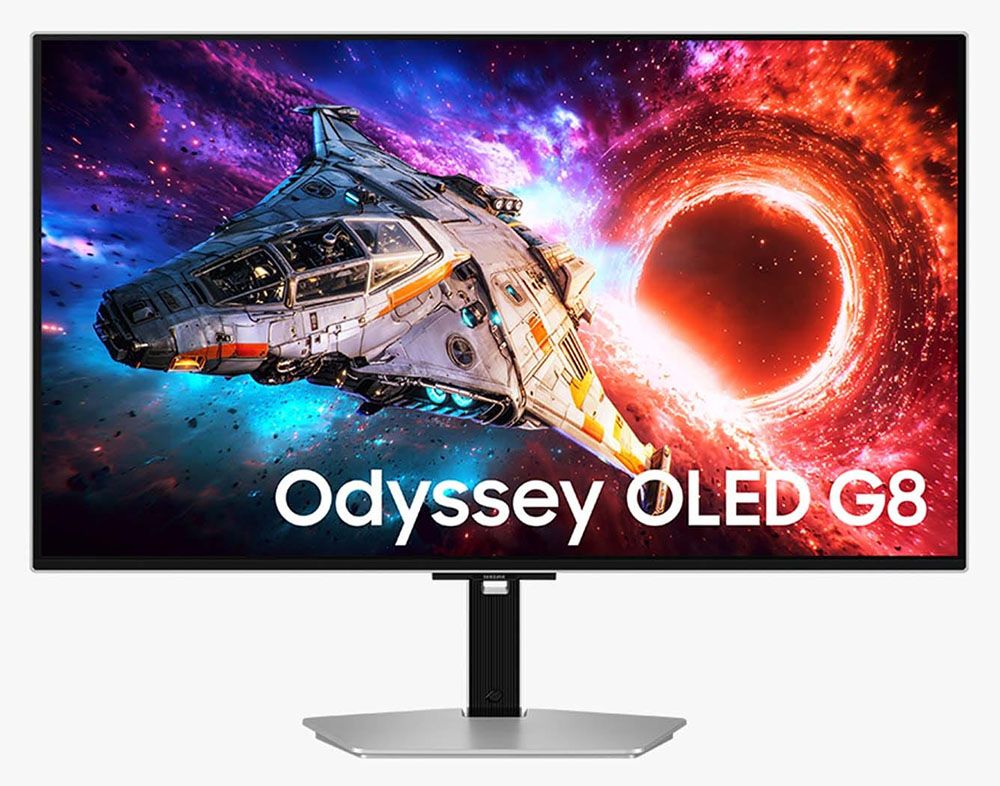
The G80SH’s silver trim is visible from the front in the base and a thin border around the screen that wraps around from the back. The actual bezel is very narrow and flush, so you can’t see it when the power’s off. A small protrusion in the bottom center says Samsung in tiny letters and houses an equally tiny power LED that can’t be seen from the front. Samsung is one of the few manufacturers to offer matte-screened OLEDs, and this implementation is excellent. Even a bright flashlight can’t throw a reflection onto the screen. Sunny office dwellers, this is your monitor.
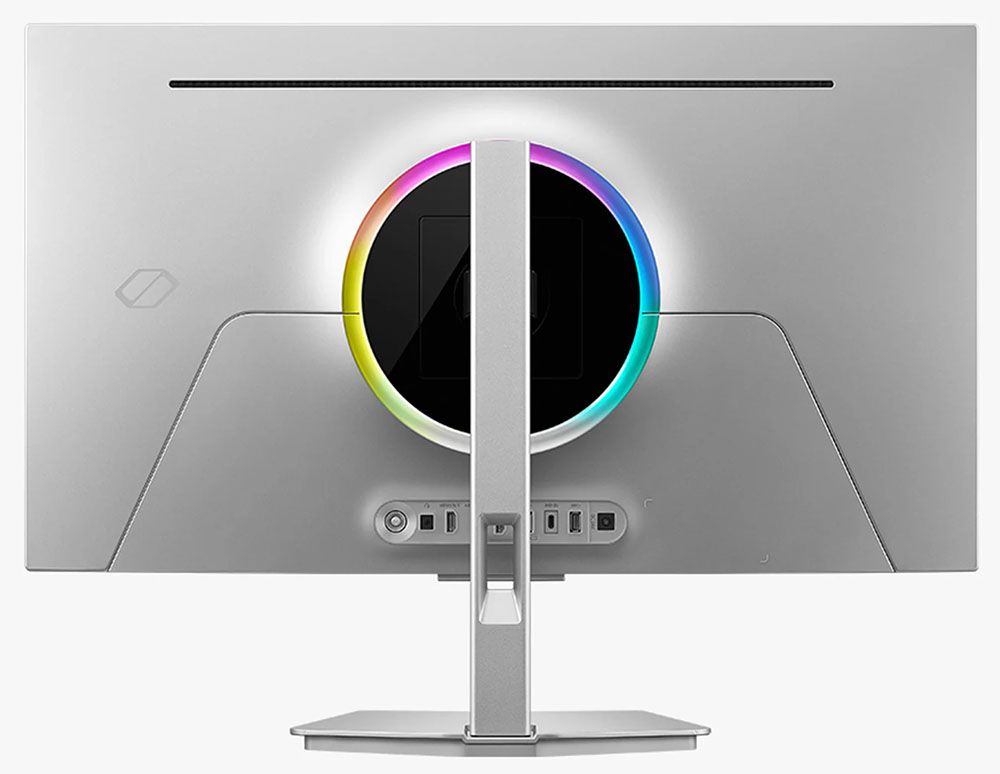
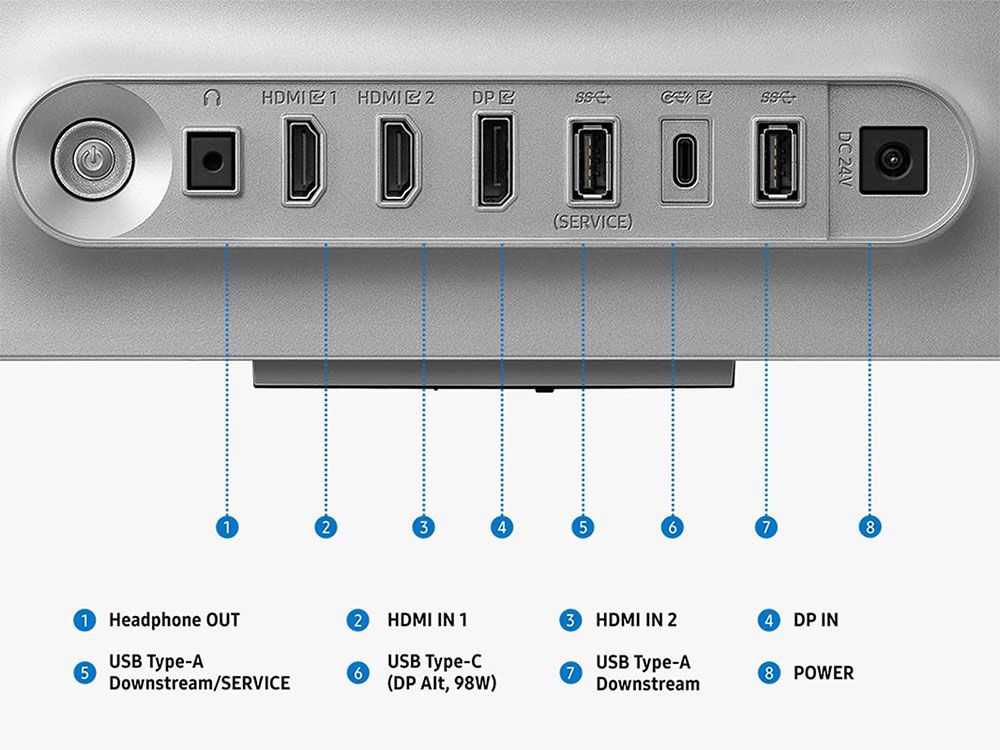
In the back, it’s all silver all the time with a smooth finish and minimalist styling. There’s a thin ventilation grill on top, a small logo on one side, and hooray, inputs that face backward. You get two HDMI 2.1, a DisplayPort 2.1, USB-C with 98 watts, and two USB-A downstream ports. There are no internal speakers, but there is a 3.5mm headphone jack. On one side of the I/O panel is a joystick, the G80SH’s sole control key. Around the stand’s attachment point is an LED ring with colors and effects available in the OSD. If you remove the stand, a 100mm VESA mount is revealed should you prefer an aftermarket solution. Fasteners are not included.
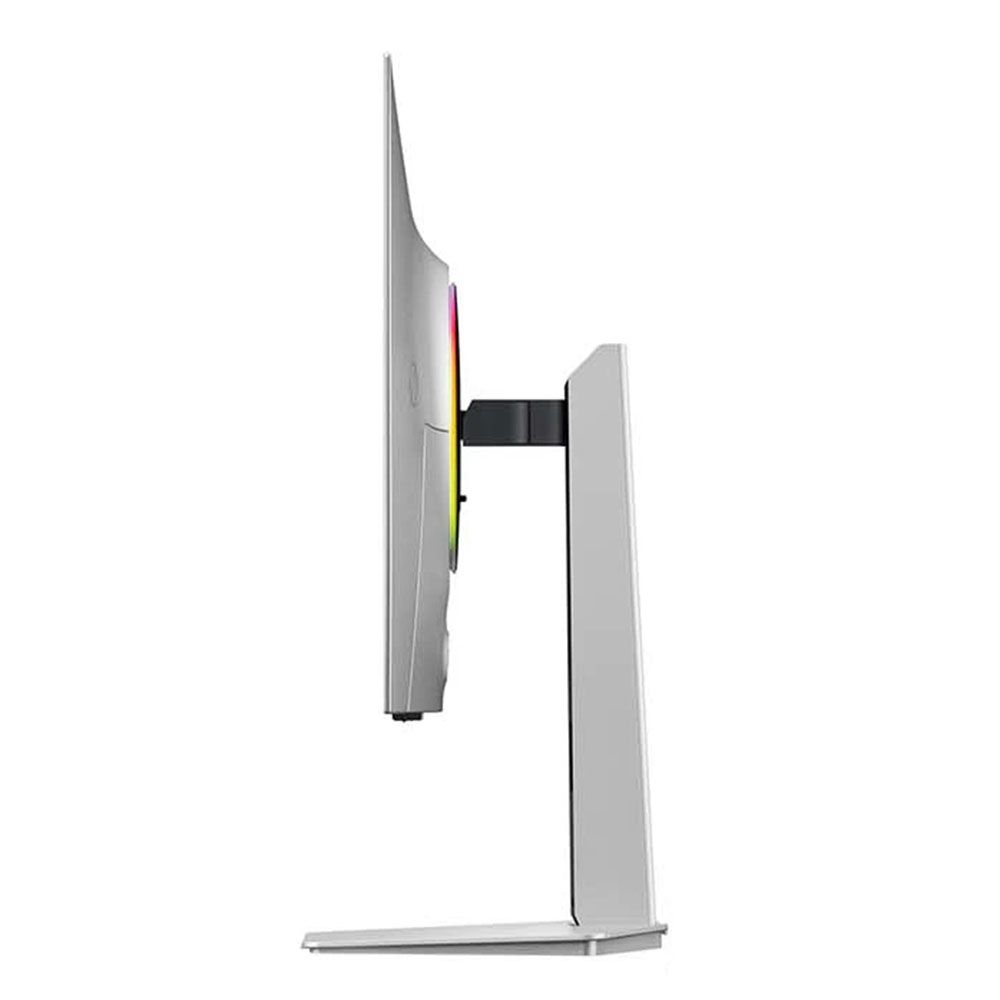
That large external power supply keeps the panel thin at just under two inches. The stand is solid and wobble-free and offers 2/25 degrees tilt, 30 degrees swivel, a 90-degree portrait mode and a 4.7-inch height range. Movements are firm and smooth, in keeping with the G80SH’s premium status.
OSD Features
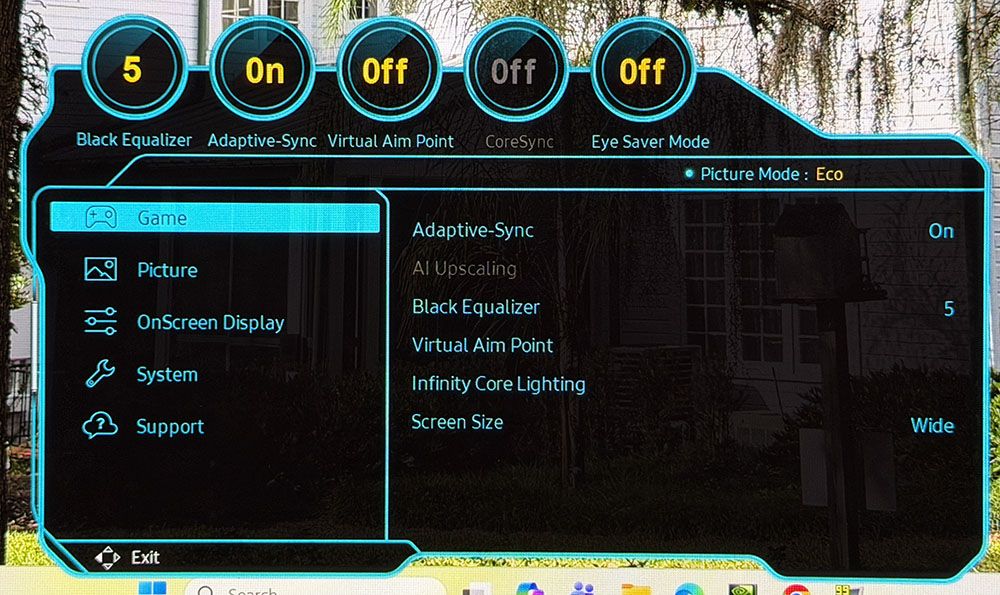
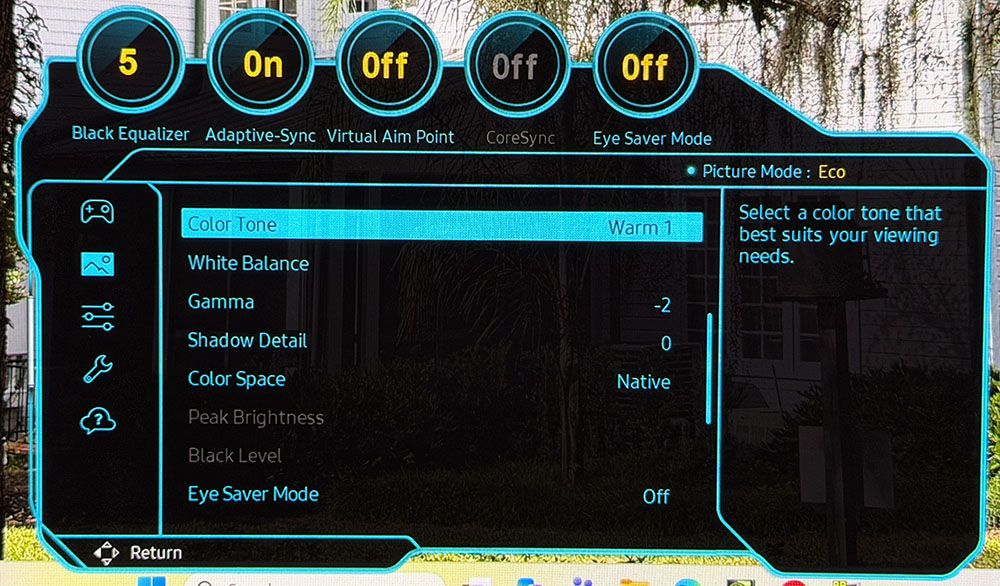
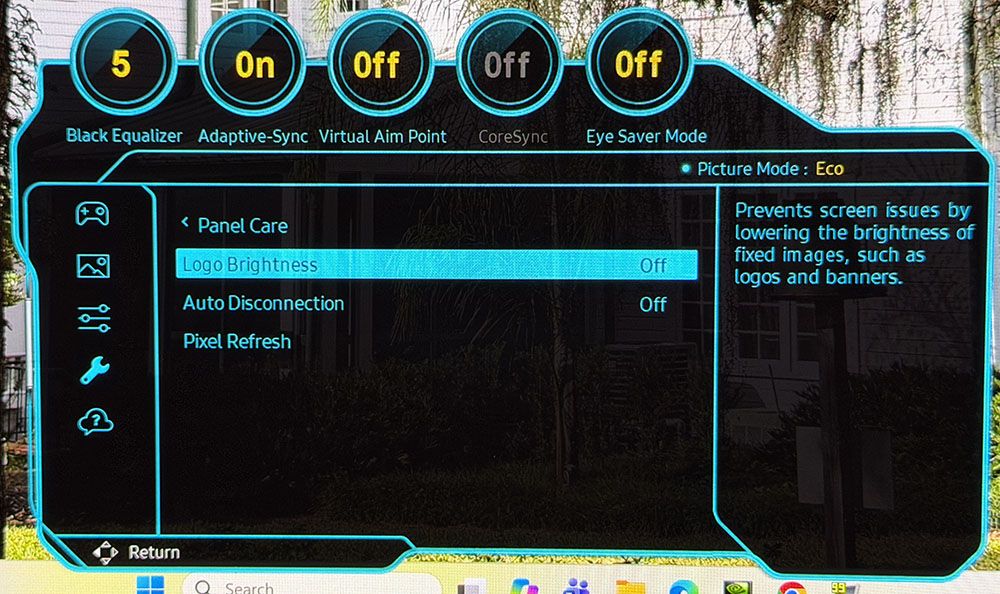
The G80SH’s OSD keeps Samsung’s traditional gaming monitor styling with its control panel appearance. Up top are portholes that deliver information about game-related settings. No refresh rate info, though. It would be nice to have that.
View Original
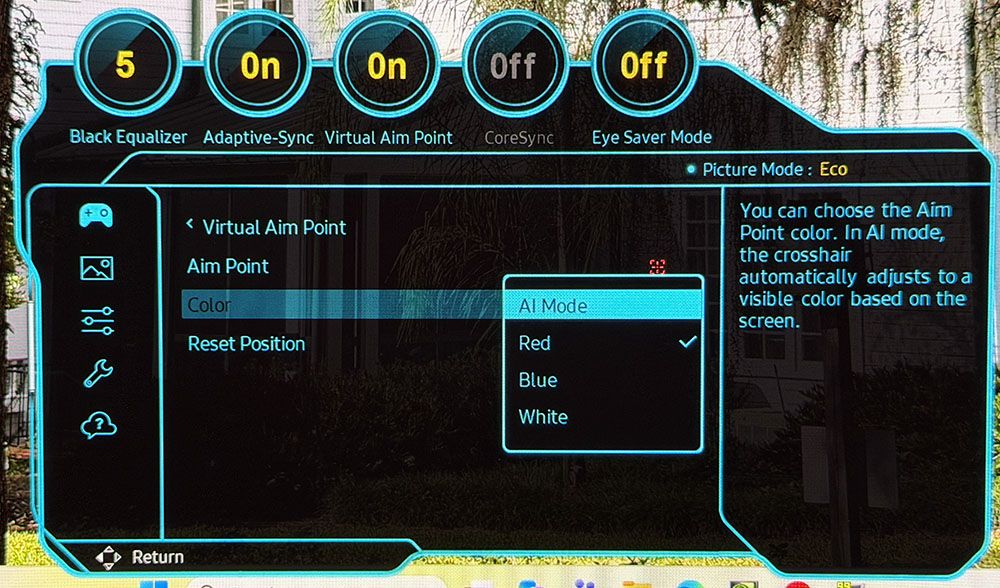
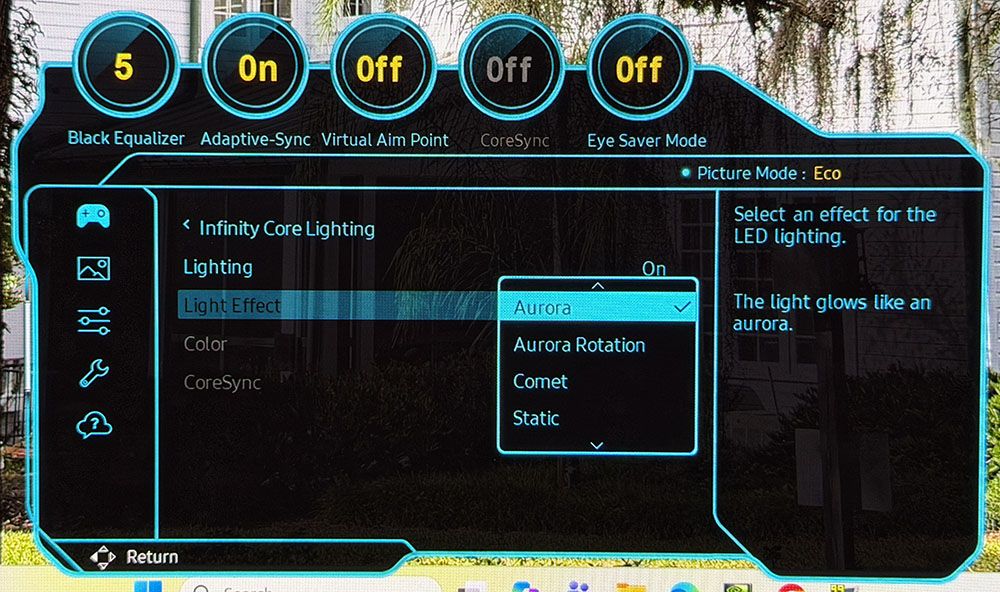
In the Game menu, you get an Adaptive-Sync toggle, aiming points, a black equalizer to enhance shadow detail, and the LED lighting control. The reticles come in two shapes and three colors. Or you can use AI Mode, which changes the color to maintain contrast with the background. You can also position the aiming point somewhere other than the center of the screen. The lighting has multiple effects or can remain a single static color. One miss here is a frame counter. There’s no way to monitor the refresh rate.
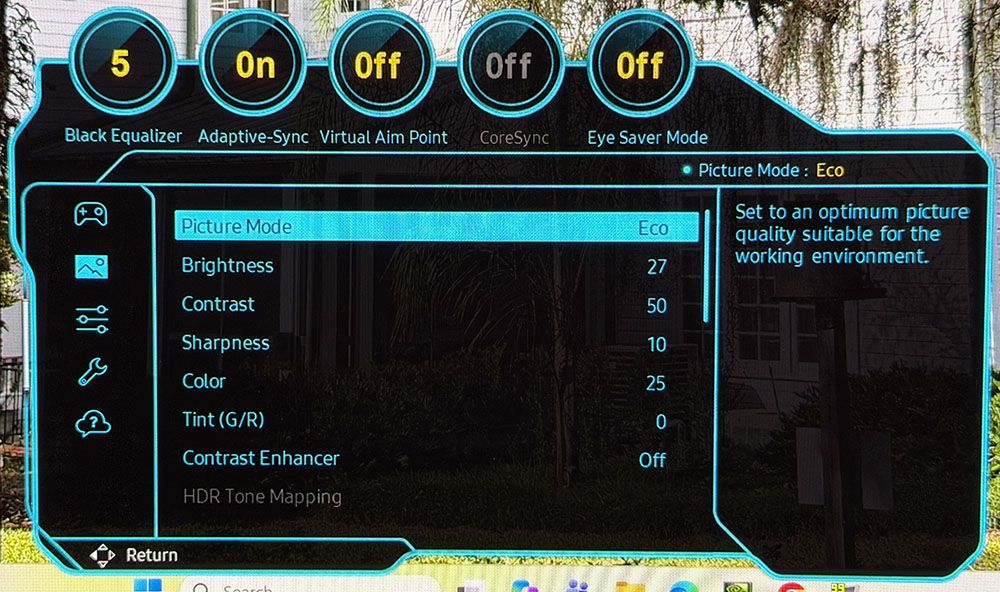
In the Picture menu are all the G80SH’s calibration controls. You get five color temps, all adjustable, and seven gamma presets. The Contrast Enhancer is a field dimming control. True variable brightness is only active in HDR mode. You can choose between static and active tone mapping for HDR, which is handy for HDR10 content because it helps bring out highlights without clipping fine shadow detail.
You won’t find an sRGB mode among the color space choices, but if you pick Auto, the G80SH will render sRGB for SDR content. This is an approach that I like, and almost no other manufacturers do it that way. If you’d rather see the full gamut for all content, just leave it on Native. Peak Brightness does just what it says for HDR content; it raises the peak output. In my HDR tests, I saw 530 nits from a 25% window pattern.
Remaining menu items include port version control, an off timer, DSC toggle, and USB-C control. You also get two panel care options: logo brightness (dimming, actually) and pixel refresh. You can pause the incoming video signal while this is running if you wish.
Samsung Odyssey G8 G80SH Calibration Settings
The G80SH includes a factory calibration with a report saved in the monitor’s firmware. I found visually perfect color and grayscale tracking, but gamma was a little light. Two clicks of the gamma slider made that much better. I noted that though the default picture mode is called Eco, it is just as bright as the other presets, so that you can use it for all content. In HDR mode, you get Display HDR, which has excellent tone mapping and color accuracy. Suppose you want sRGB; just set Color Space to Auto. Then the G80SH will automatically render sRGB for SDR and the full gamut for HDR, which covers 106% of DCI-P3. If you want full color for SDR, set it to Native. My recommended settings are below.
| Picture Mode | Eco |
|---|---|
| Brightness 200 nits | 27 |
| Brightness 120 nits | 9 |
| Brightness 100 nits | 5 |
| Brightness 80 nits | 1 (min. 78 nits) |
| Contrast | 50 |
| Color Space | Auto |
| Gamma | -2 |
| Color Temp Warm 1 | Red -4, Green -3, Blue 2 |
Picture Mode
Brightness 200 nits
Brightness 120 nits
Brightness 100 nits
Brightness 80 nits
1 (min. 78 nits)
Color Temp Warm 1
Red -4, Green -3, Blue 2
Gaming and Hands-on
The G80SH’s color quality and accuracy make it well suited for duty as a post-production monitor or perhaps an on-site display for location shoots. Only a slight gamma anomaly separates it from perfection. It nails grayscale and gamut tracking, which you can read about on pages four and five. And it’s bright enough for any indoor space. I noted that there was no variable brightness option for SDR, but you can turn on a dynamic contrast option, which equates to field dimming. In HDR mode, dimming occurs at the pixel level, and you can choose between Active and Static tone mapping. The former delivers more punch to HDR10 content.
I also noted the G80SH’s excellent color balance. SDR lets you choose between Native and Auto. Native shows the full gamut, which covers 106% of DCI-P3 and is very colorful. It will be the likely choice for most users. If you prefer sRGB for SDR, set the color space to Auto. Then, it will switch automatically. This is something very few monitors offer. I also noted that the HDR mode allows calibration of grayscale and gamma, another thing I rarely see.
With the image dialed in, I turned to a few afternoons of gaming where the G80SH provided the addictive quality that all premium OLEDs have. It doesn’t have a frame counter, so I had to use FRAPS to monitor the refresh rate, which stayed around 200fps at the max detail settings in Doom Eternal. This was fast enough to provide blur-free motion and input lag low enough to keep up with my most frenetic movements. You’ll see on the next page that it offers response typical of other 4K 240 Hz OLEDs. That means you’ll be able to aim and shoot with speed and precision. I got extra credit in hoard mode for jump shots where I was able to land grenades on target while flying through the air. Turn and shoot became second nature as I mowed through my opponents.
Detail in close encounters made me stop and admire the picture more than a few times. Tiny highlights like sweat and other bodily fluids popped right out, making the characters look three-dimensional. Other textures like stone and metal looked better thanks to strong reflections. These highlights moved smoothly over objects like the player’s weapon, which further enhanced realism. The G80SH has some of the best-looking HDR I’ve seen of late.
It makes a great workday monitor too, with understated styling that stands out but doesn’t scream for attention. The LED lighting is just a ring in the back with smoothly playing effects or static colors available, or you can shut it off. The stand is rock solid with comfortable and usable ergonomics. The joystick navigates the OSD intuitively and efficiently. I really appreciated the rear-facing ports, which were easy to see and access. You get two USB-A downstream ports, which can accommodate peripherals once you make a connection to the USB-C input, which doubles as a charger with 98 watts of power. There are no internal speakers, but headphones plug into the 3.5mm jack.
Takeaway: If Samsung keeps the G80SH’s price below $1,000, it will sell a lot of them. It’s a super versatile display for any form of productivity or entertainment. It’s addictive for gaming, with smooth operation and quick response. The image looks stunning in every respect, whether moving or static. Color accuracy is good enough that calibration isn’t required. It has unique but understated styling and excellent ergonomics with a solid stand and rear-facing ports. Aside from a lack of internal speakers, there is nothing missing here.
MORE: Best Gaming Monitors
MORE: How We Test PC Monitors
MORE: How to Buy a PC Monitor
Current page: Features and Specifications

Christian Eberle is a Contributing Editor for Tom's Hardware US. He's a veteran reviewer of A/V equipment, specializing in monitors. Christian began his obsession with tech when he built his first PC in 1991, a 286 running DOS 3.0 at a blazing 12MHz. In 2006, he undertook training from the Imaging Science Foundation in video calibration and testing and thus started a passion for precise imaging that persists to this day. He is also a professional musician with a degree from the New England Conservatory as a classical bassoonist which he used to good effect as a performer with the West Point Army Band from 1987 to 2013. He enjoys watching movies and listening to high-end audio in his custom-built home theater and can be seen riding trails near his home on a race-ready ICE VTX recumbent trike. Christian enjoys the endless summer in Florida where he lives with his wife and Chihuahua and plays with orchestras around the state.