 Newshot
AI and user privacy aren’t standard bedfellows. But WebBrain — a browser extension-based AI companion — was built privacy forward from the start. It runs entirely locally. WebBrain uses offline LLMs, so your browsing data stays on your device.
“When you ask a cloud provider anything,” explains WebBrain developer Emre Sokullu, “it isn’t end-to-end encrypted and the things you share can be very intimate and personal. That’s bad… health data, financial, private life.”
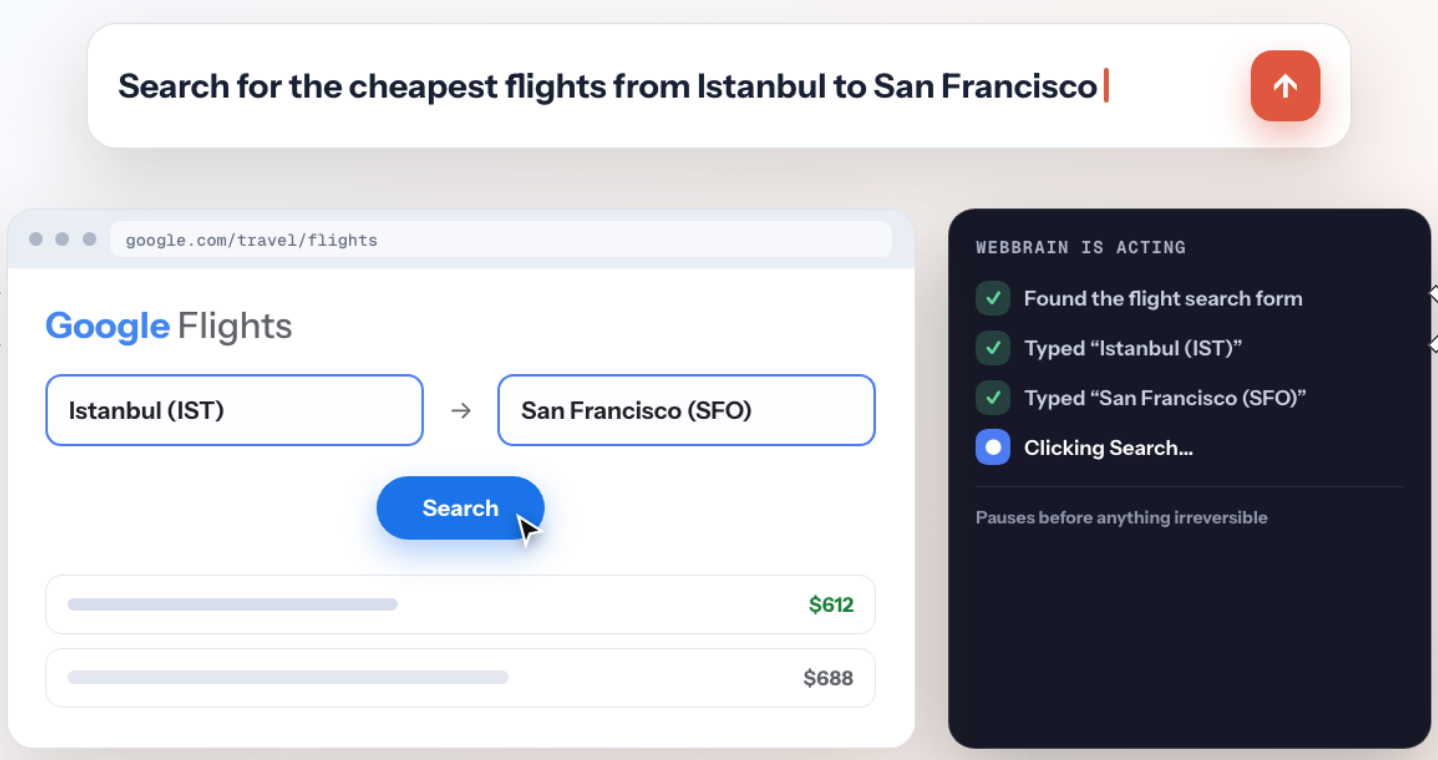
WebBrain is capable of performing complex automated tasks like eCommerce assignments.
WebBrain’s offline LLMs are designed to work well on devices with at least 16 GB RAM or a GPU with 16 GB of VRAM. Nothing leaves your machine. If curious how WebBrain is built, Sokullu invites anyone to explore WebBrain’s GitHub repo, which documents the extension’s privacy features in detail.
So what does WebBrain do?
Conveniently, WebBrain lets you know what it’s capable of doing on any given web page.
If you’re reading a news article or browsing a page with a lot of information, WebBrain can provide a tidy summary; it can even analyze and contextualize images. On a video site, WebBrain might ask if you want to download the media. WebBrain can even be customized to perform complex automated page tasks like GitHub and social media interactions (e.g. auto re-tweeting).
WebBrain learns about you the more you use it, so it becomes even more capable over time. Let’s say you fill out a lot of form pages. WebBrain will learn your preferred username, email address, etc. Again, all data remains exclusively on your device.
WebBrain offers an impressively robust free tier of usage. But if you already have paid AI accounts, WebBrain can integrate with those as well.
And though it may sound scary, Sokullu says his favorite WebBrain feature is something called Apocalypse Mode. “It’s a neat feature I want people to try. It’s an offline LLM chat with offline Wikipedia and medical sources. During emergencies like Covid, war, natural disaster, or internet outages.”
Do you have an intriguing extension development story? Do tell! Maybe your story should appear on this blog. Contact us at amo-featured [at] mozilla [dot] org and let us know a bit about your extension development journey.