 Newshot
Translation(model translation, not the source's own text)
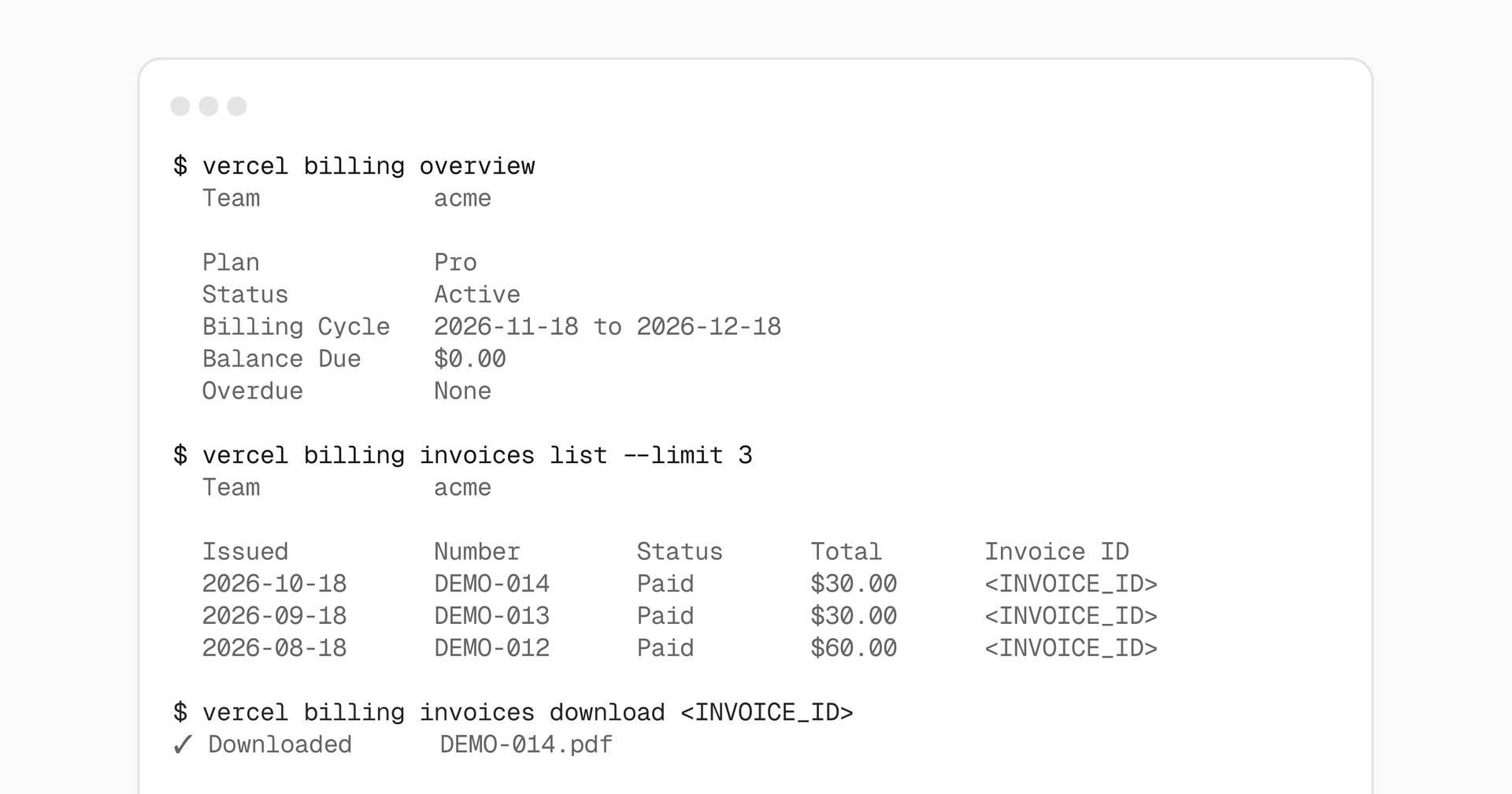
现在,你可以使用 Vercel CLI 查看团队的账单概览、查看和下载发票,并预览即将产生的费用。所有账单相关命令,包括用量、合同和预算,现已归入 vercel billing 之下。
账单概览和发票历史记录在所有套餐中均可用,但受团队现有账单权限的限制。预估的即将产生的发票需要有效的付费订阅。
复制链接到标题账单概览
查看团队的套餐、账单状态、账单周期、应付余额以及逾期发票:
        # View billing for the current teamvercel billing overview
# View billing for a specific teamvercel billing overview --scope <team>
在 CLI 65.17.0 及更高版本中,该概览还包含已配置的发票详细信息,例如账单地址、税号和采购订单。
复制链接到标题发票与即将产生的费用
使用 vercel billing invoices 查看发票、下载 PDF 并预览即将产生的费用。对于 inspect 和 download,请将 <INVOICE_ID> 替换为列表输出中的完整发票 ID:
        # List the three most recent invoicesvercel billing invoices list --limit 3
# Inspect an invoicevercel billing invoices inspect <INVOICE_ID>
# Download the same invoice as a PDFvercel billing invoices download <INVOICE_ID>
# Preview your next invoice and its line itemsvercel billing invoices upcoming
即将产生的费用为预估值,在账单周期结束前可能发生变化。
对于脚本和 agent,请在 vercel billing overview 或任何 vercel billing invoices 子命令后添加 --json,以获得结构化输出。
现有的 usage、contract 和 budget 命令现在也使用相同的前缀:
- vercel usage → vercel billing usage
- vercel contract → vercel billing contract
- vercel budgets → vercel billing budgets
之前的命令名称仍可作为别名使用。
要开始使用,请通过 vercel upgrade 更新你的 Vercel CLI。在 Billing & Invoices 文档中了解更多。