 Newshot
Get found on GoogleBingDuckDuckGoand in AI answers.
Scan your page to see what keeps it from ranking, then fix it in order.
Free account, no card. First report in full, then $3 each or lifetime. See pricing
Get discovered on major search engines and AI assistants. Mozolite is not affiliated with these companies.
One score, and what it means for search
First, a report says in one plain sentence whether search engines can find the page. Then it shows the search readiness score and how many things need fixing.
- Search counts for 40% of the score
- Five steps: crawl, index, appear, speed, quality
- Each step says how many things to fix or review
nnorthwind-bakery.com
- Sample report
- Scanned in 21.4 s
Search engines can find this page. 8 open issues affect how it is found and ranked.
Findings you can hand to someone else
Most audit tools name the problem and stop. Instead, each Mozolite finding says what is wrong, why it matters for search and what to change, with the files it applies to.
- What is wrong? One sentence a client can read, without the jargon.
- Does it affect search? A note when the issue touches crawling, indexing or ranking.
- What do I change? The fix in plain words, in the order to do it.
- Where exactly? The files or elements involved, with sizes and timings.
A typical audit line
Eliminate render-blocking resources
Potential savings of 1,240 ms
The same finding in a Mozolite report
- No render-blocking resourcesAffects searchHigh impact4 resources4 resourcesTwo stylesheets and two scripts in the head stop the page from painting until they finish downloading. On a slow phone that adds about 1.2 seconds before anything shows.Why it matters for search: Blocking files delay Largest Contentful Paint, a Core Web Vital.How to fixAdd defer to analytics.js and slider.js. Put the CSS for the first screen inline, then load theme.css and fonts.css after it.FileSizeBlocks for/assets/theme.css82.3 KB520 ms/assets/slider.js59.8 KB310 ms/assets/analytics.js44.7 KB260 ms/assets/fonts.css9.2 KB150 ms
Two stylesheets and two scripts in the head stop the page from painting until they finish downloading. On a slow phone that adds about 1.2 seconds before anything shows.
Why it matters for search: Blocking files delay Largest Contentful Paint, a Core Web Vital.
Add defer to analytics.js and slider.js. Put the CSS for the first screen inline, then load theme.css and fonts.css after it.
| File | Size | Blocks for |
|---|---|---|
| /assets/theme.css | 82.3 KB | 520 ms |
| /assets/slider.js | 59.8 KB | 310 ms |
| /assets/analytics.js | 44.7 KB | 260 ms |
| /assets/fonts.css | 9.2 KB | 150 ms |
- 1Main content is in the HTML before JavaScript runsIndex38% in the HTML
- 2www and non-www lead to one addressCrawlBoth answer
- 3AI assistants can fetch this page to answer a questionAppear4 of 6 blocked
See the page the way a search result shows it
The report draws your title and description as a search result and checks their length. It also measures how easy the text is to read.
- Title and description checked against what fits
- Reading ease on the Flesch scale, with the numbers behind it
- Checks for AI assistants sit in the same step
How it can look as a search result
Northwind Bakery: sourdough and pastries baked daily
Fresh sourdough, croissants and seasonal cakes from our ovens in Portland. Order before 2 pm for pickup the same day, or have it delivered.
- Title: 52 characters25 to 60 fits
- Description: 139 characters70 to 160 fits
Reading ease (Flesch)
Plain English
Loading times, and what the page weighs
Five timings are measured in a real browser, and each one is placed on its good and poor range. The weight of the page is also split by file type.
- LCP, CLS and the other timings search engines look at
- Scripts, images, fonts and styles by size
- Every file listed, largest first, in the full report
Loading timings
Good Needs work Poor
- LCPLargest Contentful PaintCore Web VitalWhen the largest thing on screen has finished drawing.3.4 sNeeds work2.5 s4.0 s
Largest Contentful PaintCore Web Vital
When the largest thing on screen has finished drawing.
- CLSCumulative Layout ShiftCore Web VitalHow much the layout jumps around while loading.0.04Good0.100.25
Cumulative Layout ShiftCore Web Vital
How much the layout jumps around while loading.
- TBTTotal Blocking TimeHow long the page was too busy to react to a tap.180 msGood200 ms600 ms
Total Blocking Time
How long the page was too busy to react to a tap.
- FCPFirst Contentful PaintWhen the first text or image shows up.2.1 sNeeds work1.8 s3.0 s
First Contentful Paint
When the first text or image shows up.
- TTFBTime to First ByteHow long the server took to start answering.1.4 sNeeds work800 ms1.8 s
Time to First Byte
How long the server took to start answering.
Where the bytes go
2.41 MB in 74 requests
Where the bytes go
2.41 MB in 74 requests. Sizes are as transferred, after compression.
Everything
0 files listed, 0 B
This report was made before file lists were saved. Scan the page again to see them.
Sample report. The panels are the ones your own report is built from.
Three ways to hand it over
- Share linkAnyone with the link can read the report. They do not need an account.
Share link
Anyone with the link can read the report. They do not need an account.
- PDFSave the full report as a PDF for a proposal or an email.
Save the full report as a PDF for a proposal or an email.
- JSONExport every check for a ticket tracker or a script.
JSON
Export every check for a ticket tracker or a script.
Everything that decides whether a page gets found
A page has to be reached, kept, shown, loaded fast and trusted. So Mozolite checks each step, and the report follows the same order.
1Crawl
Can search engines reach this page?
- Status code, redirects and broken requests
- robots.txt, sitemap, and whether the page is in it
- HTTPS, the TLS certificate, www and non-www
- Links a crawler can follow
2Index
Will the page be kept in the index?
- noindex, canonical and where the canonical leads
- Content that only shows up with JavaScript
- Sitemap, robots.txt and the page telling the same story
- Soft 404s, meta refresh, hreflang that links back
3Appear
How will it look in results and AI answers?
- Title width in pixels, description and headings
- Rich result fields, breadcrumbs and the site name
- Share image size, favicon size, alt and link text
- AI assistants: crawler access, opt-out tags, llms.txt
4Speed
Does it load fast enough?
- Core Web Vitals: LCP, CLS and TBT, measured in Chrome
- Render-blocking files, unused JavaScript, page weight
- Image formats, sizing and lazy loading
- Mobile viewport and content width
5Quality
Is it safe and usable for everyone?
- Accessibility: WCAG 2.2 A and AA rules via axe-core
- Security: TLS version, HSTS, CSP, cookies
- Console errors, HTTP/2, doctype and charset
- Readability: Flesch Reading Ease and grade level
Ranked by search impact
The report opens with the open issues that affect search, most important first, whichever step they come from.
How the score is worked out
Here is the sample report's score, worked out with the same code that scores your page.
Each check scores 0 to 1
A pass scores 1, a fail 0, and partial results land in between. Also, checks that matter more for search weigh more: high impact counts 10, medium 6, low 3. Finally, an area score is the points earned out of the points possible.
SEO38.5 of 54 points = 71
图表:n northwind-bakery.com · Sample report
- Page returns a successful status code200 OK200 OK11010
- Page can be indexedYesYes11010
- Title tag has a useful length641 px wide641 px wide0.5105
- Meta description is present and sized wellMissingMissing060
- Page has a single H1 heading1 heading1 heading166
- Canonical URL is set correctlyPoints to itselfPoints to itself166
- Structured data is valid JSON-LD2 errors2 errors030
- Links are crawlable3 of 48 not3 of 48 not0.531.5
38.5 of 54 points
Timings follow the Lighthouse curves
Five timings are measured in a real Chrome and placed on the curves Lighthouse uses. For example, on mobile a largest paint at 2.5 seconds scores 0.9 and one at 4 seconds scores 0.5. Of the five, Total Blocking Time weighs most.
Performance61.9 of 100 points = 62
图表:n northwind-bakery.com · Sample report
Loading timings
Good Needs work Poor
- FCPFirst Contentful PaintWhen the first text or image shows up.2.4 sNeeds work1.8 s3.0 s
First Contentful Paint
When the first text or image shows up.
- LCPLargest Contentful PaintCore Web VitalWhen the largest thing on screen has finished drawing.4.3 sPoor2.5 s4.0 s
Largest Contentful PaintCore Web Vital
When the largest thing on screen has finished drawing.
- TBTTotal Blocking TimeHow long the page was too busy to react to a tap.580 msNeeds work200 ms600 ms
Total Blocking Time
How long the page was too busy to react to a tap.
- CLSCumulative Layout ShiftCore Web VitalHow much the layout jumps around while loading.0.13Needs work0.100.25
Cumulative Layout ShiftCore Web Vital
How much the layout jumps around while loading.
- TTFBServer response (TTFB)How long the server took to start answering.1.0 sNeeds work800 ms1.8 s
Server response (TTFB)
How long the server took to start answering.
- FCP0.71 × 107.1
- LCP0.42 × 2510.5
- TBT0.52 × 3015.6
- CLS0.82 × 2520.5
- TTFB0.82 × 108.2
61.9 of 100 points
Performance62
SEO counts most in the overall score
Each area adds its score times its weight: SEO 40%, Performance 25%, Accessibility 15%, Security 10%, Best practices 10%. When an area could not be measured, it drops out and the others share its weight.
Overall28.4 + 15.5 + 12.9 + 4.8 + 9.5 = 71.1
- Good90 to 100
- Needs work50 to 89
图表:n northwind-bakery.com · Sample report
Sum of the five shares
Rounded to 71. The leaderboard ranks on the unrounded number, so ties still sort.
Made for people who get websites found
Open the sales call with proof
Send a lead the report before you meet. That way they see what holds the site back in search, ranked, and you name the price to fix it.
- Ranked fixes
Show what the redesign changed
Scan before the work and again after it. Clients read the report without an account, and then the PDF goes into the handover.
- Scan history
Catch it before Google does
Scan the page before launch. That way you find the stray noindex, the broken sitemap or the title that gets cut off first.
- First report free
Compared with Lighthouse
Lighthouse is free and excellent for performance work. Here is what Mozolite adds for search.
Pricing
A free account opens your first report in full. Then pay per report, or once for lifetime access.
Free
A free account, no card
- 3 scans with a free account
- The first one as a full report
- All five scores and Core Web Vitals
- Top issues in each category
- Every free tool
Pay per report
$3per report
Buy one or a few. No subscription.
- Every check that applies, up to 201
- Element-level details and fixes
- PDF and JSON export
- Shareable link for clients
- Credits never expire
Lifetime
Founding price. 12 of 15 spots left.
Black Friday Discount
Enter the code at checkout for $5 off.
- Unlimited full reports (fair use, 300 per 30 days)
- Everything in pay per report
- Scan history in your dashboard
- Priority in the scan queue
- MCP server for Claude Code, Cursor and other AI tools
- All future checks and tools
Payments secured by
- First report freeA free account, no card.
First report free
A free account, no card.
- Pay onceNo subscription. Credits never expire.
Pay once
No subscription. Credits never expire.
- Your page stays yoursWe keep the results, not your HTML or visitors.
Your page stays yours
We keep the results, not your HTML or visitors.
- Secure checkoutPaid through Creem, the merchant of record.
Secure checkout
Paid through Creem, the merchant of record.
Free tools
Single checks you can run without an account.
Security headers checker
See which HTTP security headers a page sends, which ones are missing, and the exact line to add.
Meta tags and Open Graph checker
Check the title, description, canonical and social tags of any page, and preview how it looks when shared.
Favicon checker
Find every icon a site declares and see how each one looks in a browser tab, a Google result and on phone home screens.
Robots.txt tester
Fetch a site's robots.txt, find its sitemap, and test whether a path is allowed for a specific crawler.
Redirect checker
Follow every redirect hop from a URL to its final destination, with status codes, and check that HTTP upgrades to HTTPS.
AI crawler access checker
See whether ChatGPT, Claude, Perplexity, Gemini and other AI crawlers are allowed to read a page, and whether the site has an llms.txt file.
From the blog
Nov 19, 2026 · 4 min read
AI Visibility Checklist: Guide to Get Cited by ChatGPT, Claude, Gemini and Copilot
A short, practical checklist to help AI assistants find, read and cite your pages. Covers crawler access, content, structure, trust signals and tracking.
Nov 19, 2026 · 10 min read
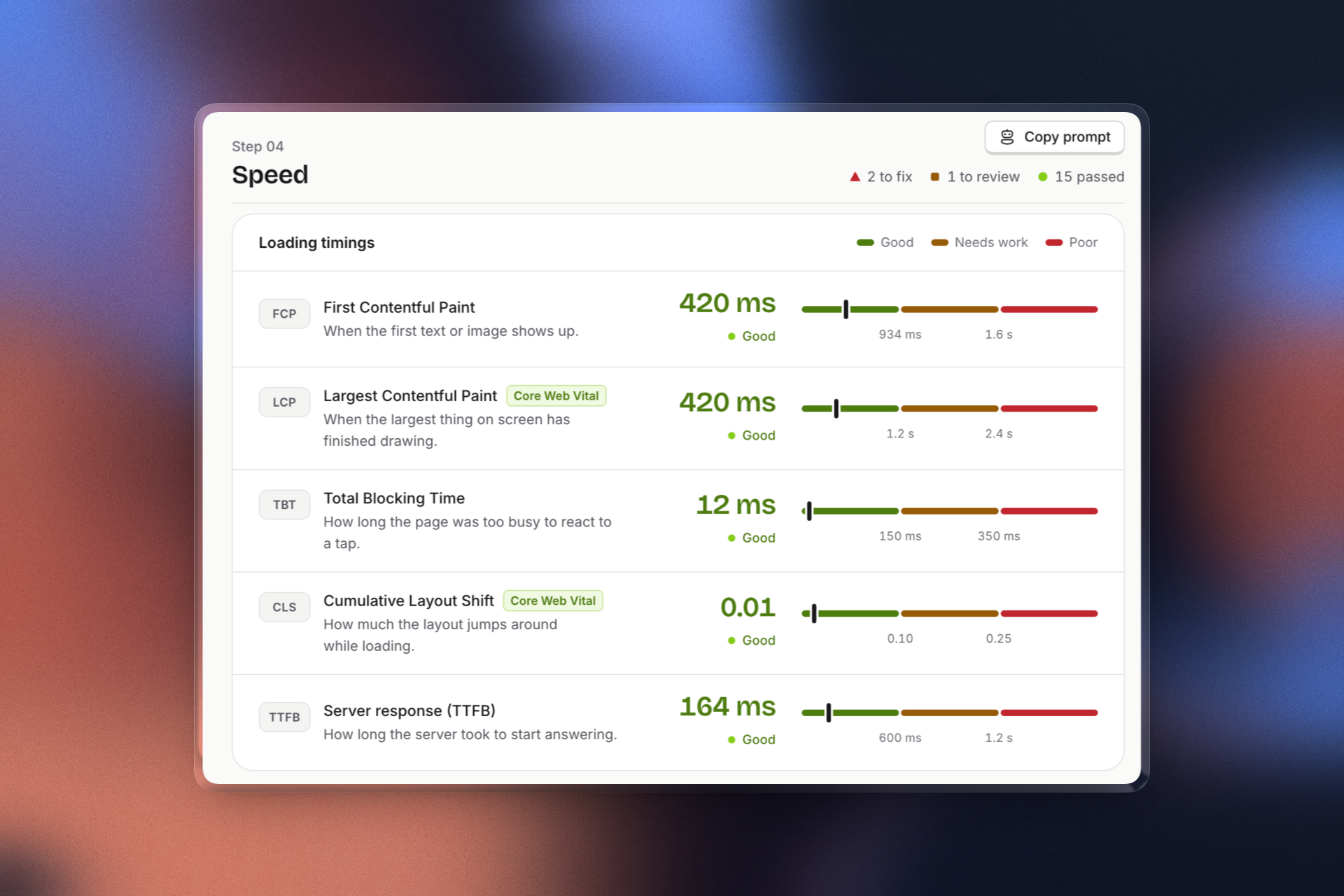
How Core Web Vitals Affect Google Rankings
Core Web Vitals are a real Google ranking signal, but they don't decide everything. Learn what LCP, INP and CLS mean, the scores to aim for, and what to fix first.
Questions
Something else? Write to [email protected].
A score is not a ranking. The checks cover what search engines have documented: whether a page can be crawled and indexed, how it loads, and how it is described. Fixing them removes obstacles, but what you publish and who links to you still decide where you rank.
PageSpeed Insights runs Lighthouse, which is strong on performance but light on SEO. Mozolite measures the same Core Web Vitals with the same scoring curves, and also checks sitemap coverage, redirects, content that needs JavaScript, AI crawler access and security. The report is written so you can send it to someone who is not a developer.
Performance scores move between runs on every tool, because network and server timing change. We load your page in a real Chrome with mobile throttling applied, while PageSpeed Insights simulates the throttling. Our overall score also weights SEO most, so it is not the same number as a Lighthouse average.
No. One scan covers one page, plus the site files that affect it: robots.txt, the sitemap and llms.txt. So scan your most important pages one by one.
Yes. A free account needs only your email, no card. Your first scan opens as the full report, with every check, its element details and fixes. You also get 2 more scans as previews, with all five scores, the Core Web Vitals and the top issues. After that, a full report costs $3 or comes with lifetime access.
No. We only scan public URLs, the same way a search engine or a new visitor would see them.
The report results and a small screenshot of the first screen. We do not keep the page HTML or anything from your visitors.
See how search engines read your page
Paste a URL and create a free account. Your first report opens in full.