Newshot
Translation(model translation, not the source's own text)
Chrome AI 功能浪费大量带宽
🔎 终于解开了谜团。今年某个时候(大约几个月前),我的带宽/数据用量暴涨。查明是 Chrome 最近的 AI 功能导致的。随后我禁用了所有“AI 创新”和“On-device”相关的东西,带宽立刻得到缓解。下面是设置界面的截图:
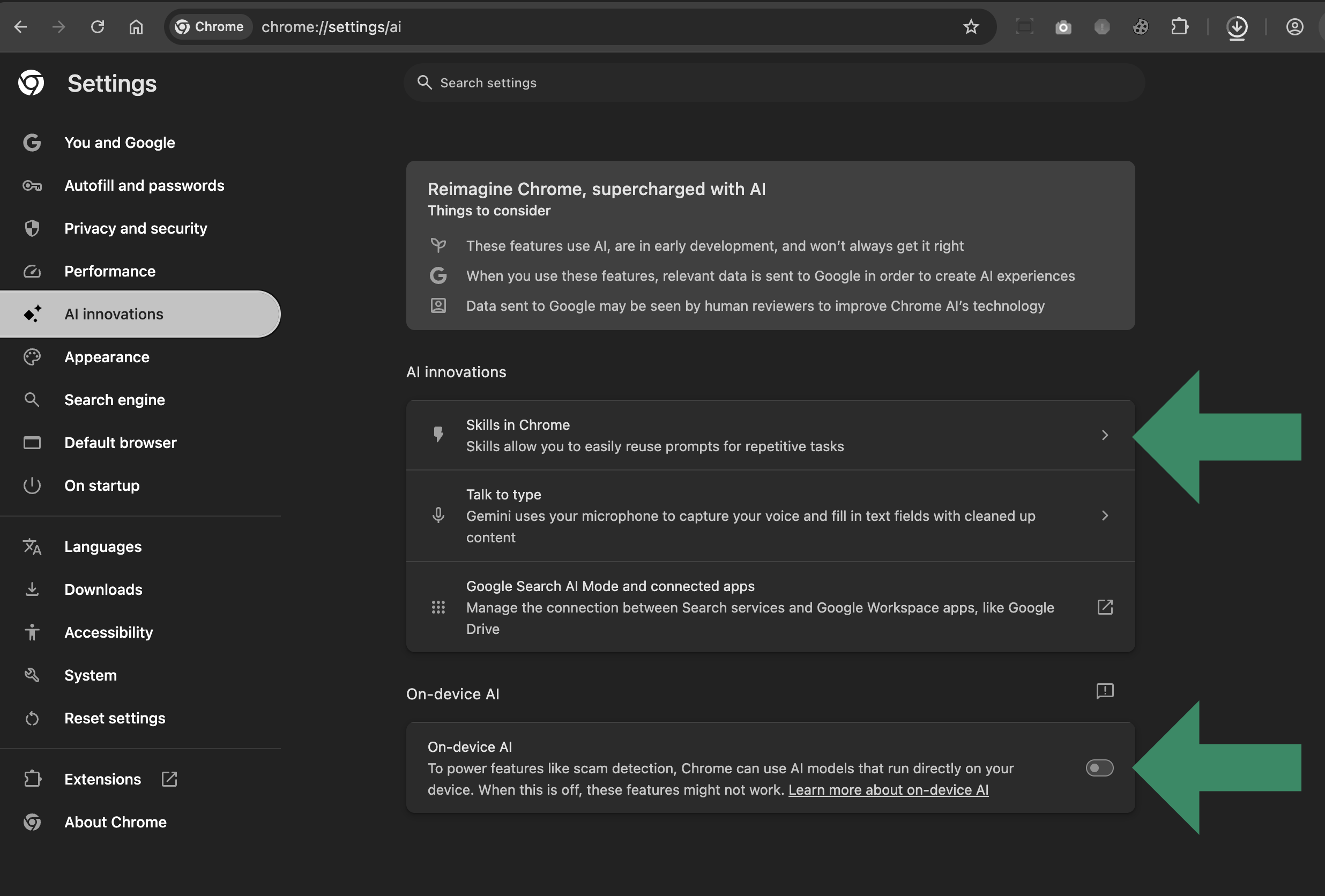
我直接把那个设置页面上的所有选项都禁用了,不必要的带宽泄漏立刻停止。
别只听我一面之词。打开你常用的活动/网络监视器。在 Chrome 的 AI 功能处于启用状态(它们默认就是启用的)时观察网络活动。注意 Chrome 持续不断的带宽/数据消耗,如果你长期监控,累计起来每月可达数百 GB(取决于配置、使用情况等)。
看着流量表转了一阵之后,进入 Chrome 设置,禁用所有“AI 创新”和“On-device”相关的东西。然后回到网络监视器,看它几乎变成一条平线。问题解决。
评论
Chrome 本应默认把这些吃资源的 AI 功能保持禁用。谁来算算,那些从不碰 AI 相关功能的人(比如我自己)到底白白浪费了多少能源和带宽。
在我禁用 AI 设置之前,Chrome 每月实实在在地消耗掉数百 GB。现在把这个数字乘以那些不使用“AI 什么玩意”的 Chrome 用户数量,那就是实打实的数字。实打实的浪费。为了一个毫无用处的东西,这样的开销荒谬至极。
就先到这里,我要去试试一些新浏览器了。如今有不少很棒的 Chrome 替代品。