Newshot

Azure DevOps 企业级实时迁移正式可用

AI summary

从 Azure DevOps Services 迁移到具备数据驻留能力的 GitHub Enterprise Cloud 的企业级实时迁移(ELM)现已正式可用。团队可在继续工作的同时迁移仓库,并按自己的时间安排完成切换;迁移可通过门户或 CLI 管理,支持迁移前验证与生命周期跟踪,并同步 Git 历史、分支、标签、拉取请求及分支策略。

Translation(model translation, not the source's own text)
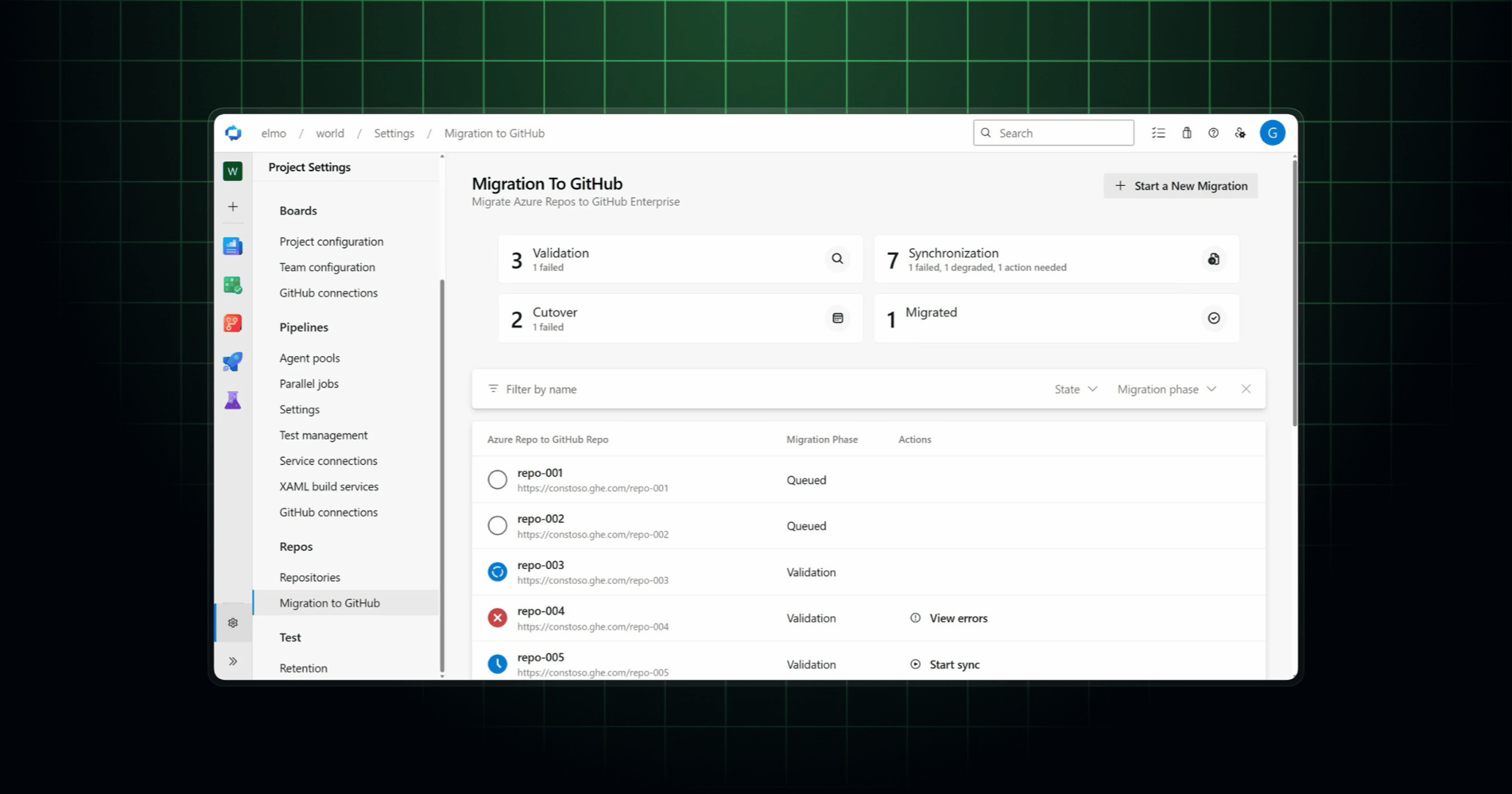
GitHub 上的 Azure DevOps 迁移仪表板,展示验证、同步、切换和已迁移的仓库

从 Azure DevOps Services 到具备数据驻留的 GitHub Enterprise Cloud 的 Enterprise Live Migrations(ELM)现已正式可用。你可以在团队继续工作的同时迁移仓库,然后按自己的时间安排完成切换。

  • 通过门户或 CLI 管理迁移:在 Azure DevOps 门户中选择引导式体验,或使用 Azure DevOps CLI 编写迁移脚本。迁移前验证和生命周期跟踪可帮助你在切换前发现问题并监控进度。
  • 按自己的时间安排切换:ELM 会持续将更改从 Azure DevOps 同步到 GitHub,因此开发者可以在整个迁移过程中持续贡献。当你准备好时,在适合团队的时间通过一次简短的切换完成迁移。
  • 一并带走你的开发历史:ELM 会同步 Git 历史、分支、标签和拉取请求,包括标题、描述、评论和用户历史。你的 Azure DevOps 分支策略会迁移为 GitHub 分支规则集。
  • 继续使用 Azure Boards 和 Azure Pipelines:你可以让 ELM 创建 Azure Boards 连接,并将 Azure Pipelines 重新指向迁移后的 GitHub 仓库,从而减少切换后的手动设置。你的工作项和管道定义仍保留在 Azure DevOps 中。

准备好开始你的迁移之旅了吗?请访问 Microsoft 的 ELM 文档以了解更多信息并开始使用。

Only about 785 characters could be extracted — the rest did not come through (common on sites that need scrolling or a login). Read the original for the full piece.

Published by GitHub Changelog
This site only summarises and aggregates; copyright stays with the original author. Headlines and summaries follow the source — where they differ, the original wins.
Read the original ↗