 Newshot
Save the command once, run it with a simple click.
Keep each command with its prompts, variables and working directory. Run it with one click, from your terminal, on a schedule or from your AI agent.
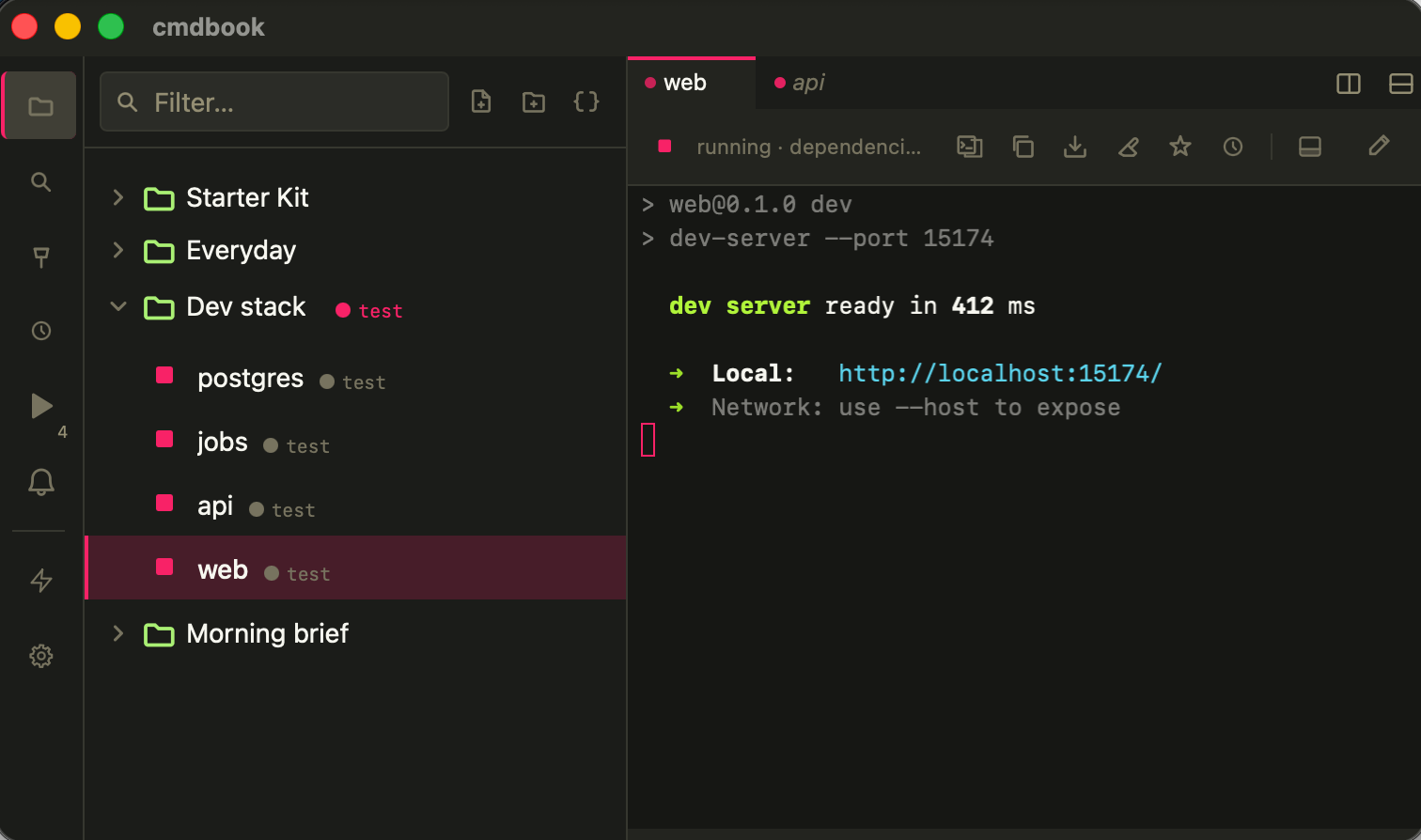
A few things cmdbook does for you.
Save it once. A command with prompts becomes a form: drop a file, pick an option, and your last answers are remembered. Free
Works alongside your terminal. Stays on your computer.
Not a terminal replacement
Keep using your terminal for interactive work. cmdbook keeps the commands you run again and again, and runs them for you.
Not shell history
History remembers what you typed, not which version worked or what to change next time. Why a command library →
Local, and yours
Your commands are stored on your computer and can be exported at any time. The CLI and the local API only accept connections from this computer.
No account
Download and use the Free plan without signing up. Pro needs an activation code, not an account.
Usage statistics you can turn off
cmdbook counts a few actions, such as a command created or run. Never command text, names, paths, output or secrets. It tells you on first launch and sends nothing before that; turn it off in Settings → General → Usage statistics.
Works offline
Commands run without a connection. cmdbook goes online only to activate Pro, to receive new Pro features or renewed updates, and to release a device.
The Free plan covers the core command workflow.
- Commands and folders
- Quick Access
- Terminal Productivity
- Interactive command input
- Prompt variables
- Import and export
- Lifecycle hooks
- Save output to a file
- Drag and drop files
- Health checks
- Pinned and recent commands
- Notify on exit
- Command palette
- Find and copy in output
- macOS, Windows, and Linux
Every Pro license is yours to keep. The plans differ only in how long you get new versions.
Stop renewing any time: Pro keeps working in the last version released while you were subscribed. Renewing keeps the price you signed up at.
By purchasing you agree to the EULA and the cmdbook Product Terms.
- Variable Preview
- Folder Variables
- Command Dependencies
- Integrated Terminal
- HTTP Capture
- Process Tree
- Secrets Manager
- Run from CLI & Scripts
- Command Compare
- Folder export
- Recent run output
- Up to 3 devices
Download cmdbook for your platform.
Start saving and running your commands for free. No account is required.
Activate on this device or recover your activation code.
Common questions.
Yes. The local command library and core workflow are available on the Free plan. Pro adds advanced workflow features and updates during your selected term.
No. Use your normal terminal for interactive work. cmdbook is for commands and scripts you run often and want to start, stop, and find again easily.
Your command library is stored locally on your computer. You decide when to export or connect external services.
Each plan on the pricing card shows its price, how long updates are included and whether it renews. The full rules are in the cmdbook Product Terms.
Each Pro license covers up to 3 devices. You can release a device and activate another one.
No. cmdbook is a commercial app from printf.app, an independent studio. The Free plan has no time limit and needs no account.
Anonymous usage statistics (counts of a few actions, never your commands or output), which you can turn off; Pro activation and update checks. Your commands are not uploaded. Details are in the Privacy Policy.
Pro keeps working in the versions released while your updates were included. A later version keeps its Pro features locked until you renew, or you can reinstall a covered version.
Yes, within 7 days of your order. See the Refund Policy.