 Newshot
Translation(model translation, not the source's own text)
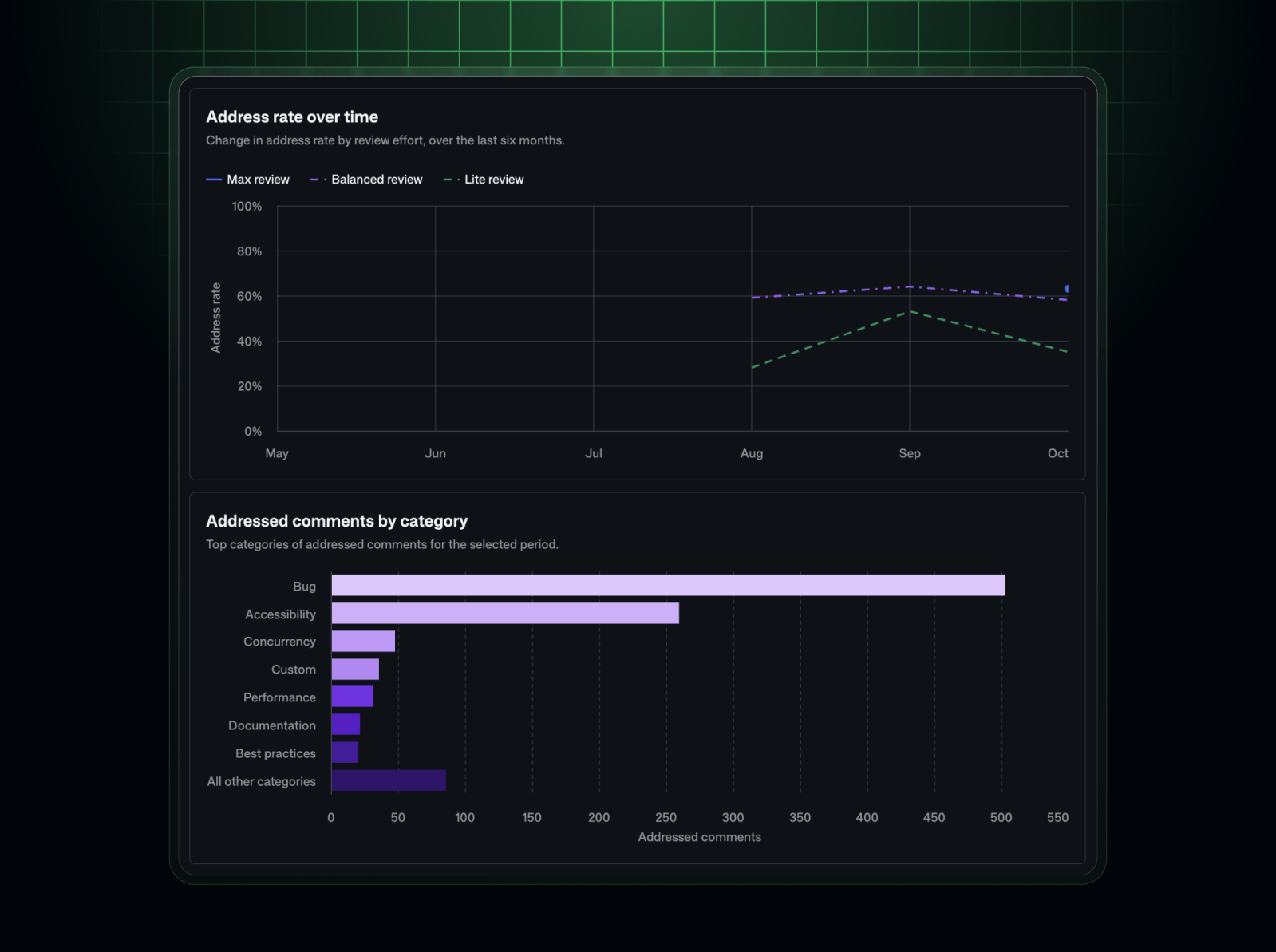
你现在可以查看 Copilot 代码审查反馈在每个代码仓库中的实际处理情况。新增的 “Repository insights” 页面是代码仓库 Insights 标签页中的第一项,它将 Copilot 代码审查结果汇总在一处。
新增内容
Repository insights 会为每个代码仓库显示四项摘要信号:
- 已处理的评论:已对其采取行动的 Copilot 代码审查评论。
- 已处理的高严重性评论:已对其采取行动的高严重性 Copilot 代码审查评论。
- 后续没有人工更改请求的拉取请求:经过 Copilot 审查、且之后没有收到人工审查者更改请求的拉取请求。
- 未经 Copilot 审查的已合并拉取请求:Copilot 代码审查未审查过的已合并拉取请求。
你还可以查看:
- 已处理率:可评估评论中已处理评论所占的比例,包括其分子、分母、无法评估的排除项、随时间变化的趋势以及支持的细分维度。
- 评论类别:Copilot 代码审查在代码仓库中留下的反馈类型。
相同的指标也可在 Copilot usage metrics API 中的企业和组织代码仓库 1 天报告(repos-1-day)中查看。
为什么重要
Repository insights 显示开发者是否对 Copilot 代码审查反馈采取行动,人工审查者在 Copilot 审查拉取请求后是否仍请求更改,以及哪些已合并的工作完全跳过了 Copilot 审查。使用这些洞察找出存在覆盖缺口的代码仓库,并将支持重点放在影响最大的地方。
重要说明
- 如果你对代码仓库具有读取权限,就可以在 Repository insights 页面查看 Copilot 代码审查结果。
- 企业所有者、账单管理者、组织所有者,以及任何拥有授予 View Copilot Metrics 权限的自定义组织或企业角色的人,都可以通过 API 访问代码仓库 1 天报告。
- 必须启用 Copilot usage metrics 策略才能支持此功能。
访问 Repository insights 文档和 Copilot usage metrics API 文档以开始使用。