 Newshot
Translation(model translation, not the source's own text)
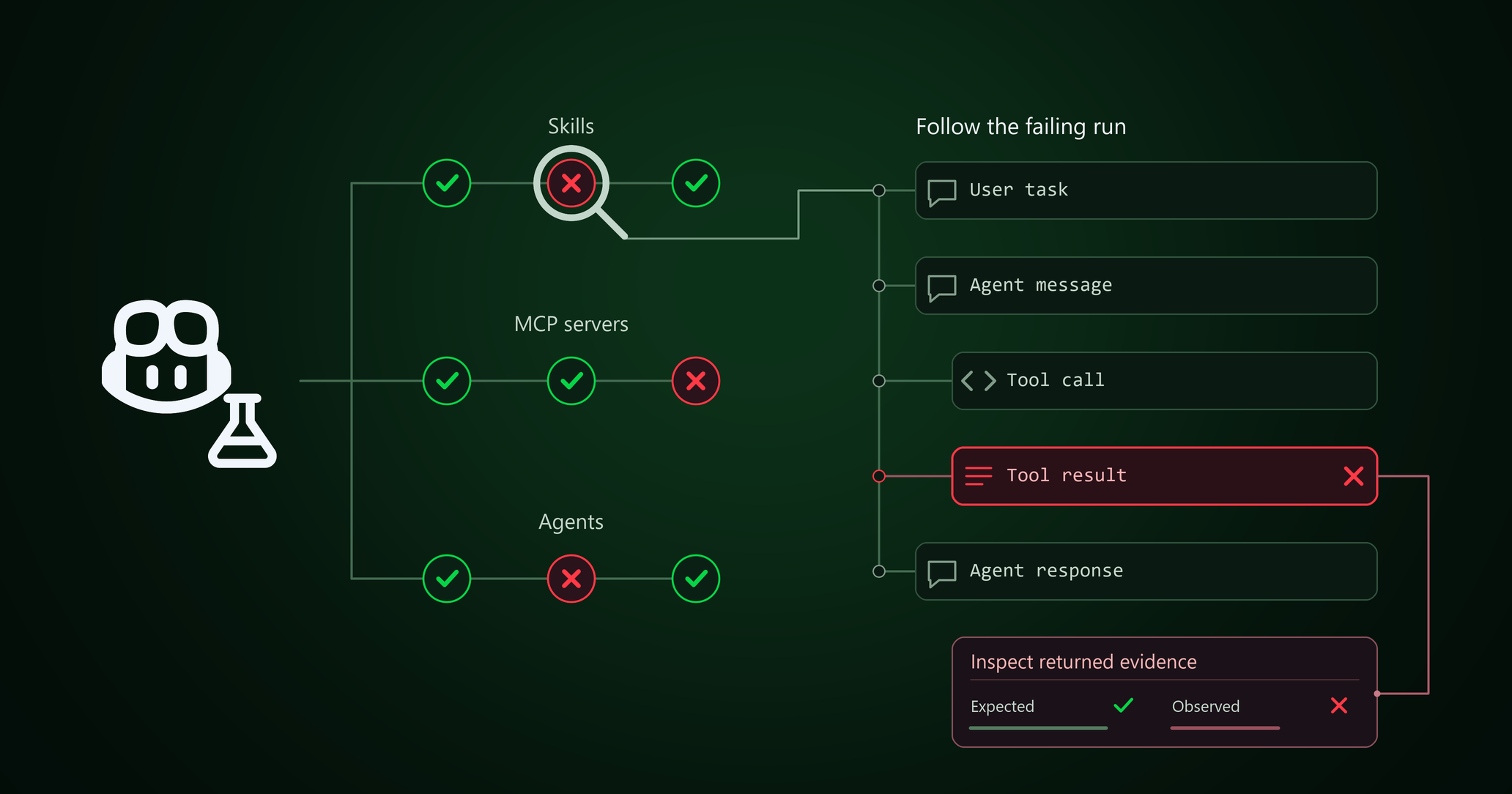
你现在可以使用 GitHub Copilot Evals 为自己优化 GitHub Copilot。当你的提示词、模型、skills 和工具发生变化时,你还能从 Copilot 获得最大收益吗?Evals 可帮助你针对自己配置中的 skills、agents 和 MCP 工具回答这个问题。创建一个 eval,检查它们的行为表现,并利用结果决定要改进什么。
什么是 eval?
eval 是针对 AI 行为的可重复测试。你给 agent 一个真实任务,描述什么样的结果算是好结果,并同时检查结果以及 agent 是如何得到该结果的。
AI 输出可能每次运行都不同,所以一次良好的回答并不能告诉你某项自定义配置是否适合你。在更改 Copilot 配置中的 skill、agent 或 MCP 后,重新运行同一个 eval,以检查你关心的行为并捕获回归。
你可以做什么
用你自己的话向 Copilot 提问,或使用 /eval 命令来:
- 为项目中的 skill、自定义 agent 或 MCP 工具创建一个 eval。
- 运行它,查看哪些检查通过、哪些失败。每次运行开始前都由你批准。
- 查明某项检查失败的原因,并决定要在 Copilot 配置中更改什么。
- 比较某项自定义更改前后的运行结果,看看它是否有帮助。
GitHub Copilot Evals 使用 Vally(一个可扩展的本地 eval 工具)作为其评估引擎。
开始使用
在现有使用 Copilot 的环境中安装 GitHub Copilot Evals:
- Visual Studio Code:从 Visual Studio Marketplace 安装 GitHub Copilot Evals 扩展。
- Copilot CLI:按照安装说明安装 GitHub Copilot Evals 插件。
- GitHub Copilot 应用:打开 Customize,添加 github/evals marketplace,然后安装 GitHub Copilot Evals 插件。
GitHub Copilot Evals 面向 Copilot Individual、Copilot Business 和 Copilot Enterprise 计划处于公开预览阶段。
要了解更多信息,请参阅 GitHub Copilot Evals 文档。通过提交 issue 或在 GitHub Community 中加入讨论来分享反馈。