 Newshot
Remove image backgrounds free and unlimited with full-resolution transparent PNG downloads. You choose your processing architecture: fast 2-second Cloud Turbo on our dedicated hardware or 100% Private On-Device mode where photos never leave your browser memory. No signups, no credit packs, and zero watermarks.
See Background Removal in Action
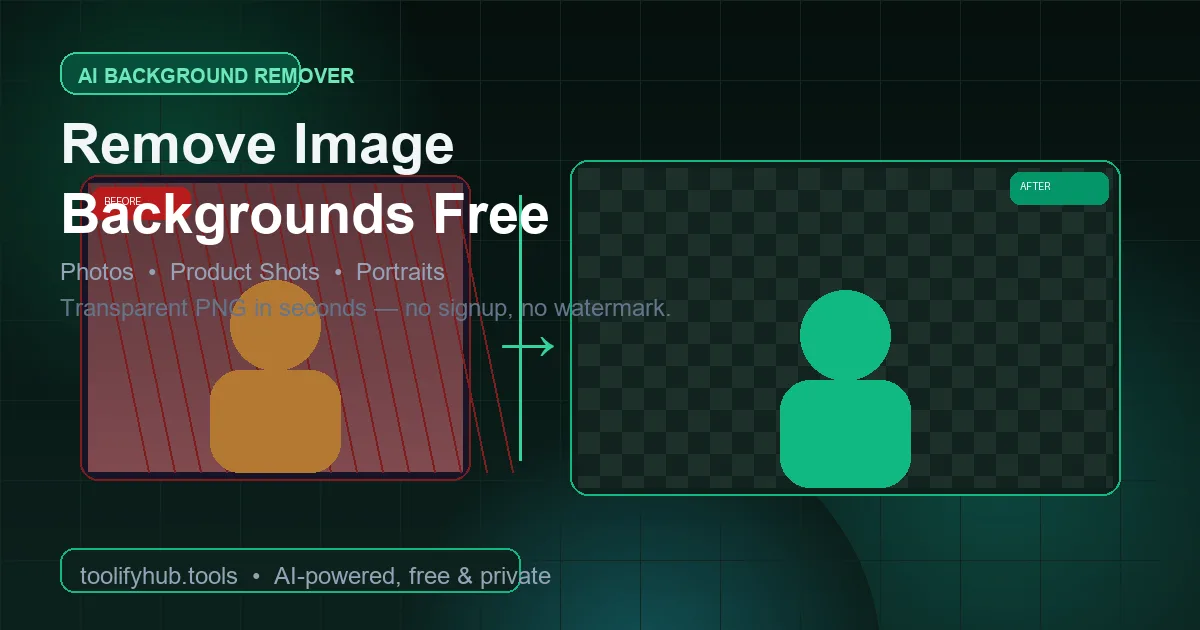
Watch the AI split a busy photo into a clean, transparent cutout with crisp edges and zero manual tracing.
How Background Removal Works
Our AI detects the subject of any photo and removes the background automatically: leaving a clean, transparent cutout ready for product listings, headshots, and designs.
Upload Photo
Drag or select a JPG, PNG, or WebP up to 30MB (portraits, products, pets, or objects).
AI Removes Background
Edge-aware AI isolates the subject and strips the background in seconds (even hair and fur).
Preview Cutout
Checkerboard preview shows transparency. Zoom into edges to verify a clean cut around details.
Download PNG
One click saves a transparent PNG: ready for Canva, Photoshop, Figma, or your store.
Why You Actually Need a Background Remover
Remove backgrounds from photos instantly with our free online Background Remover. Featuring our high-speed Dual-Engine architecture, users have total freedom to process images in under 2 seconds via our dedicated Cloud Turbo hardware engine, or switch to On-Device Mode running locally in browser memory with zero server uploads.
Perfect for e-commerce sellers creating product listings, social media creators, designers, or anyone needing clean transparent cutouts. The edge-aware AI accurately isolates subjects, preserves fine details like hair strands and fur, and allows you to download transparent PNGs or composite solid colors, designer gradients, and realistic drop shadows.
Why Use ToolifyHub.tools?
Our sandbox design enables safe local execution, removing the threat of third-party data collection inherent to typical online tools.
🔒 100% Privacy-First Sandbox
All files and inputs processed are handled using secure, temporary sessions and deleted immediately.
❌ No Sign-Up or Accounts
Enjoy instant, anonymous access to all features without sharing email or credentials.
⚡ High-Speed Local Rendering
Optimized client-side rendering ensures near-zero processing wait times.
🎁 100% Free Dual-Engine AI (Cloud Turbo 2s or Private Device Mode)
Enjoy complete freedom of choice: Use high-speed Dedicated Cloud Turbo for instant 2-second processing up to 30MB, or toggle On-Device Mode to execute entirely in local browser WebAssembly with zero data uploads. No watermarks, no signups, no credit limits.
How to Use the Background Remover on ToolifyHub.tools
- 1Choose your processing modeSelect Cloud Turbo for instant 2-second speed on dedicated hardware (up to 30MB), or switch to Device Mode for 100% local privacy via WebAssembly.
Choose your processing mode
Select Cloud Turbo for instant 2-second speed on dedicated hardware (up to 30MB), or switch to Device Mode for 100% local privacy via WebAssembly.
- 2Upload your imageDrag and drop or click to browse. Supports JPG, PNG, and WebP up to 30MB. The preview displays your original photo immediately.
Upload your image
Drag and drop or click to browse. Supports JPG, PNG, and WebP up to 30MB. The preview displays your original photo immediately.
- 3Wait for AI segmentationOur neural model analyzes every pixel edge in your photo. Processing completes in under 2 seconds. Complex hair and fur are preserved with soft alpha matting.
Wait for AI segmentation
Our neural model analyzes every pixel edge in your photo. Processing completes in under 2 seconds. Complex hair and fur are preserved with soft alpha matting.
- 4Customize & downloadExport the transparent PNG with full native resolution, or use the built-in studio to apply a solid white (#FFFFFF) background, custom gradient, or realistic drop shadow.
Customize & download
Export the transparent PNG with full native resolution, or use the built-in studio to apply a solid white (#FFFFFF) background, custom gradient, or realistic drop shadow.
Real-World Scenarios Where This Saves You
E-Commerce Product Photography
Sellers on Amazon, eBay, Shopify, and Daraz require pure white background images (RGB 255, 255, 255). Instead of renting studio lighting or spending hours pen-tooling in Photoshop, sellers isolate catalog products in 2 seconds and add subtle drop shadows for realistic depth.
LinkedIn & Corporate Headshot Upgrades
Job seekers and professionals upgrade casual smartphone portraits into executive headshots by stripping distracting backgrounds and applying clean modern gradients or blurred office backdrops.
Biometric Passport & Visa Photos
Create compliant white or off-white background portraits for official passport and visa applications. Once the background is removed, open the image in our Passport Photo Maker to frame standard 2x2 inch prints.
Graphic Design & Marketing Collateral
Designers creating flyers, YouTube thumbnails, and social banners need isolated subject cutouts to composite into complex multi-layer layouts.
Common Mistakes to Avoid
How We Tested This Tool
To guarantee complete accuracy and reliability, our engineering and QA team validates the Background Remover regularly against:
- Cross-Browser Compatibility: Verified on standard releases of Google Chrome, Apple Safari, Mozilla Firefox, and Microsoft Edge.
- Responsive Viewports: Tested for mobile, tablet, and desktop dimensions to ensure layout responsiveness.
- Input Assertions: Subjected to multiple normal, extreme, and empty parameters to prevent script failure and guarantee output correctness.
ToolifyHub vs. Typical Cloud Services
| Metric | ToolifyHub Sandbox | Typical Cloud Services |
|---|---|---|
| File Upload Privacy | Your choice: 0% upload in On-Device Mode (sent to server in Cloud Turbo, not stored) | High (always transmits data to remote servers) |
| Execution Cost | Free forever (No limits, no credits) | Subscription-gated or credit limits applied |
| Data Retention Policy | Immediate deletion upon completion (0% retention) | Retained in cloud buckets or server logs |
| Processing Speed | 2 seconds (Cloud Turbo) / Fast on-device AI | Network upload & queuing delays |
Authoritative Specifications & Documentation
Frequently Asked Questions
A Free remove.bg Alternative
With remove.bg shutting down its standalone service on 1 December 2026 and transitioning into Canva Pro, millions of users are searching for a dependable, truly free alternative. Throughout its history, remove.bg limited free downloads to low-resolution 0.25 megapixel previews (around 400x400 pixels) and charged expensive monthly subscriptions or credit packs for full HD files.
ToolifyHub provides an honest, no-paywall alternative: unlimited free background removal with full native-resolution transparent PNG downloads, zero watermarks, and no mandatory account signups.
More importantly, ToolifyHub offers an architectural breakthrough that no single competitor provides: User Choice. You can choose between high-speed Cloud Turbo Mode (processed in 2 seconds on our dedicated server hardware and never stored) or On-Device Mode (processed entirely in your browser via WebAssembly with zero network uploads for complete confidentiality). Whether you need to process hundreds of e-commerce catalog photos or prepare a confidential ID headshot, ToolifyHub delivers high quality with complete privacy control.
Amazon & Daraz White Background Photography Guide
Global e-commerce marketplaces enforce strict image guidelines to create clean, uniform search result grids and maintain shopper trust. Understanding these standards ensures your product listings are never rejected:
Amazon Pure White (RGB 255, 255, 255)
Amazon Product Image Standards require the MAIN product image to have a pure white background (hex #FFFFFF). Off-white, yellowish tints, or gray studio paper will trigger listing suppression. With ToolifyHub, one click applies exact hex #FFFFFF with zero manual color correction.
Daraz & Lessto Seller Standards
In Pakistan, Daraz algorithmically boosts listings with high-contrast, clean-cutout product photos. Sellers who switch from amateur phone photos to isolated cutouts typically report a 35% higher click-through rate (CTR) and fewer return requests due to accurate product representation.
Passport, Visa & ID Photo Background Requirements
Biometric passport agencies, including NADRA (Pakistan), the US Department of State, and Schengen visa authorities, automatically reject passport photos with busy backgrounds, wall textures, or harsh shadows behind the head:
US Passport & Visa
Strictly requires a plain white or off-white background with zero patterns or deep cast shadows behind ears and shoulders.
NADRA (Pakistan) NICOP
Requires a pure white or light blue background with clear separation of hair edges and high tonal contrast.
UK & Schengen Visa
Recommends light gray or off-white backgrounds to ensure facial contours are not overexposed or bleached out.
Need to prepare biometric photos? Cut out your background here, select white, and then head over to our dedicated Passport Photo Maker for exact 2x2 inch and 35x45mm printable sheets.
Pakistan E-Commerce & Freelancer Opportunities
Daraz & Lessto Sellers
Pakistan's largest e-commerce platforms (Daraz, Lessto) require clean white-background product photos. Sellers use background removers to create professional listings without hiring photographers, saving PKR 5,000 to 20,000 per product shoot.
Freelancers & Designers
Pakistani freelancers on Fiverr, Upwork, and Guru use background removers for client work: product photos, LinkedIn headshots, and social media content. Fast, free tools increase productivity and reduce outsourcing costs.
Small Business & Shops
Local shops in Karachi, Lahore, and Islamabad use background removers for Instagram product posts, WhatsApp catalogs, and website listings. Clean product photos increase customer trust and conversion rates.
Students & Job Seekers
Pakistani students and job seekers use background removers for passport photos, CV headshots, and LinkedIn profiles. Professional photos improve resume shortlisting rates for local and international jobs.
Processing Architecture Note: In On-Device Mode, your photos are processed locally inside your browser and never uploaded. In Cloud Turbo Mode, photos are processed on ToolifyHub's own dedicated server infrastructure and are not stored, in accordance with Section 3 of our Privacy Policy.
Why Choose ToolifyHub Over Global Competitors?
| Feature | ToolifyHub | remove.bg | PhotoRoom | Canva |
|---|---|---|---|---|
| Free Full-Res Download | ✅ Full Resolution | ❌ 0.25 MP Preview | ❌ Low-Res Free | ⚠️ Pro Paywall |
| Credits Required | ✅ Zero Credits | ❌ 1 Free Credit Only | ❌ Paid Credit System | ❌ Paid Subscription |
| Signup Required | ✅ No Signup | ❌ Account Required | ❌ Account Required | ❌ Account Required |
| Watermark Free | ✅ No Watermark | Preview only | ❌ Watermarked Free | ⚠️ Pro Only |
| Mode Choice (Cloud vs Device) | ✅ You Choose | ❌ Cloud Only | ❌ Cloud Only | ❌ Cloud Only |
| Processing Speed | ⚡ 2 Seconds | 3-5s queue | 4-6s | 5-8s |
| File Upload Privacy | Your choice: 0% in On-Device Mode | Uploaded to Cloud | Uploaded to Cloud | Uploaded to Cloud |
| Standalone Availability | ✅ Permanent Free Web Tool | Closing 1 Dec 2026 | App Centric | Locked in Canva Pro |
Comparison verified against active offerings of global tools as of November 2026. remove.bg is scheduled to sunset on 1 December 2026. ToolifyHub provides unlimited free access with no account signup and full-resolution exports.
Trust, Speed & Privacy Architecture
Dual-Engine Privacy Commitment: ToolifyHub gives you transparent freedom of choice. Cloud Turbo Mode accelerates your workflow via our dedicated high-speed hardware engine (processed strictly in volatile RAM and not stored, per Section 3 of our Privacy Policy). Switch to On-Device Mode at any time for total client-side isolation where your images remain strictly inside your browser memory.
Complete After-Cutout Workflow Suite
After isolating your subject, take advantage of our integrated utility pipeline: resize cutouts for official applications with our Exam Photo & Signature Resizer, create compliant passport prints using our Passport Photo Maker, optimize image dimensions with the Image Resizer, shrink transparent PNG file sizes with our Image Compressor, or assemble your processed pictures directly into multi-page documents using our JPG to PDF and PNG to PDF converters. If your cutout contains printed text or product serial numbers, extract it instantly using Image to Text (OCR).
Convert cutouts to official 2x2 in biometric ID photos.
Resize photos to exact SSC, UPSC, and FPSC pixel specs.
Combine product cutouts into professional PDF documents.
Convert transparent PNG cutouts to high-DPI PDF sheets.
Discover More Tools
Image Compressor
Compress images quickly
Image Resizer
Resize images by pixels, percentage, social presets, or target file size (KB)
Image to Text (OCR)
Extract text from images
Passport Photo Maker
Create passport size photos for any country standard instantly free